


Table of contents
- What are we comparing?
- What Joomla provides out of the box
- Administration usability
- Which editor is easier to use?
- Design and template customisation
- Permissions, custom fields and languages
- Which CMS is better for SEO?
- Security: popularity and real attacks
- Performance, scaling and complex projects
- Joomla’s CMS Critic Awards
- Why Joomla is chosen for complex content
- Costs and the practical choice
- Frequently asked questions
- Choosing for your project
Joomla offers a broader set of website management tools in its standard installation. Multilingual content, flexible access control, a custom field builder, publication workflows and multi-factor authentication are available without installing third-party extensions. WordPress needs plugins or code for some of the same capabilities. We compare these differences, infection and attack statistics, Joomla’s awards and the practical benefits for website owners.
What are we comparing?
This article compares Joomla and WordPress installed on your own hosting. WordPress.com is a separate service with its own terms, so its plans and restrictions are outside the scope of this comparison.
The information was checked on 5 November 2026. On that date, the current stable releases were Joomla 6.2.0 and WordPress 7.1.4. The examples and conclusions concern modern versions of the CMSs, rather than Joomla 3 and WordPress 5. Before installing or updating, check the current release and extension compatibility again.
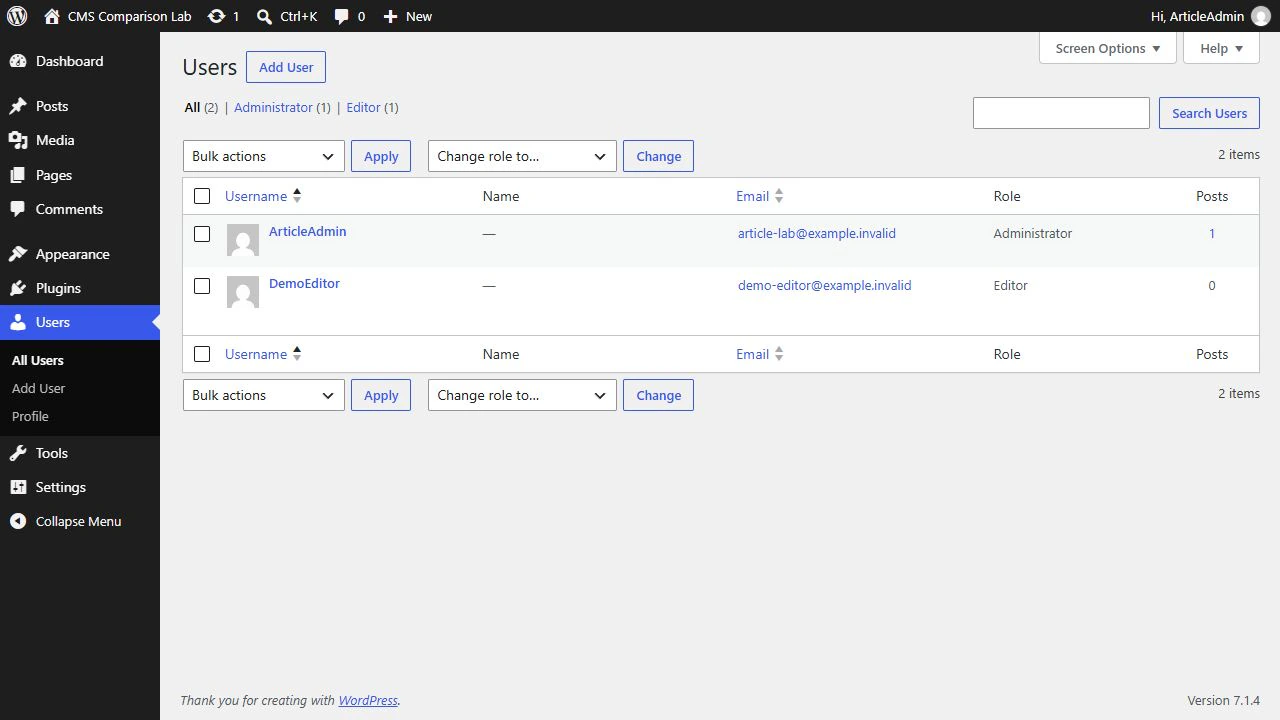
The screenshots show the interfaces of Joomla 6.1.4 and WordPress 7.1.4. Two WordPress administration screenshots use the Russian interface, as indicated in their captions.
Core features should be distinguished from the capabilities of a finished website. A function that requires an extension is still available to the project. Implementation quality, maintenance costs and usability for your team all matter when choosing a platform.
What Joomla provides out of the box
Joomla’s advantages are clearest in managing site structure, access and editorial work. The standard installation includes the components, modules and plugins supplied in the installation package. Some need to be enabled and configured, but these tasks do not require finding and installing a third-party extension.
Built in — a standard feature. With limitations — depends on conditions or configuration. Additional solution needed — requires an extension, code or an external solution. Each statement in a mixed answer is coloured separately.
| Task | Joomla 6.2.0 — standard installation | WordPress 7.1.4 — standard installation |
|---|---|---|
| Multilingual website | Built in. Content languages and translation associations for articles, categories and menus | No standard tool. Translation management requires a plugin or a custom solution |
| Flexible groups and access control | Built in. Create groups, viewing access levels and inherited permissions in the administration interface | Partial. Standard roles and capabilities are available. Custom groups and detailed administration controls require a plugin or code |
| Custom field builder | Built in. Field types, groups, required fields and category assignments | Partial. Simple name/value fields are available. A comparable form builder is usually added through a plugin or code |
| Configurable publication approval | Built in. Workflows with stages, transitions and group permissions | Partial. Draft and pending review statuses are available. Custom stages and transitions require a plugin or code |
| Multi-factor authentication | Built in. Standard methods include one-time codes and WebAuthn | No standard tool. An additional authentication factor is provided through a separate solution |
| User action log | Built in. Records of logins and administrative actions, event settings and export | No standard tool. A general activity log is added through a plugin. Post revisions are already built in |
| Redirect management | Built in. A manager for redirecting broken URLs and a system plugin | Partial. Some old URLs are redirected automatically. Managing a list of redirects requires a plugin or server rules |
| Contact form | Built in. A contacts component with a contact form | No standard tool. A form is added through a plugin, service or code |
| Advanced search | Built in. Smart Search with a separate index, filters and search settings | Partial. Basic search is available. Comparable control over indexing and filters usually requires an extension or service |
| Module display by page and audience | Built in. Assign menu items and access levels in the module form | Partial. Blocks and templates are available. Centralised display conditions based on pages and roles require an additional solution |
| Meta descriptions in the administration interface | Built in. Standard description fields for articles and menu items | No standard tool. Separate description controls are usually added through an SEO plugin or code |
| Page and page fragment caching | Built in. View and module cache settings and a standard page cache plugin | Partial. An object cache is available. Page caching and persistent object caching depend on a plugin, server or hosting provider |
| Task scheduler interface | Built in. Task creation, schedules, manual execution and run history | No standard tool. WP-Cron and scheduled publishing are built in. An event management interface is added separately |
WordPress already includes a block editor, user roles, revisions, basic search and scheduled publishing. The differences in the table concern specific tools and configuration options. One plugin can handle several tasks, so the number of rows should not be treated as the number of required plugins.
Administration usability
Assess administration usability through everyday tasks: finding an article, changing its properties, checking publication and opening site settings. A wide range of features is useful when staff can quickly find the actions they need without receiving unnecessary permissions.
Navigation and the dashboard
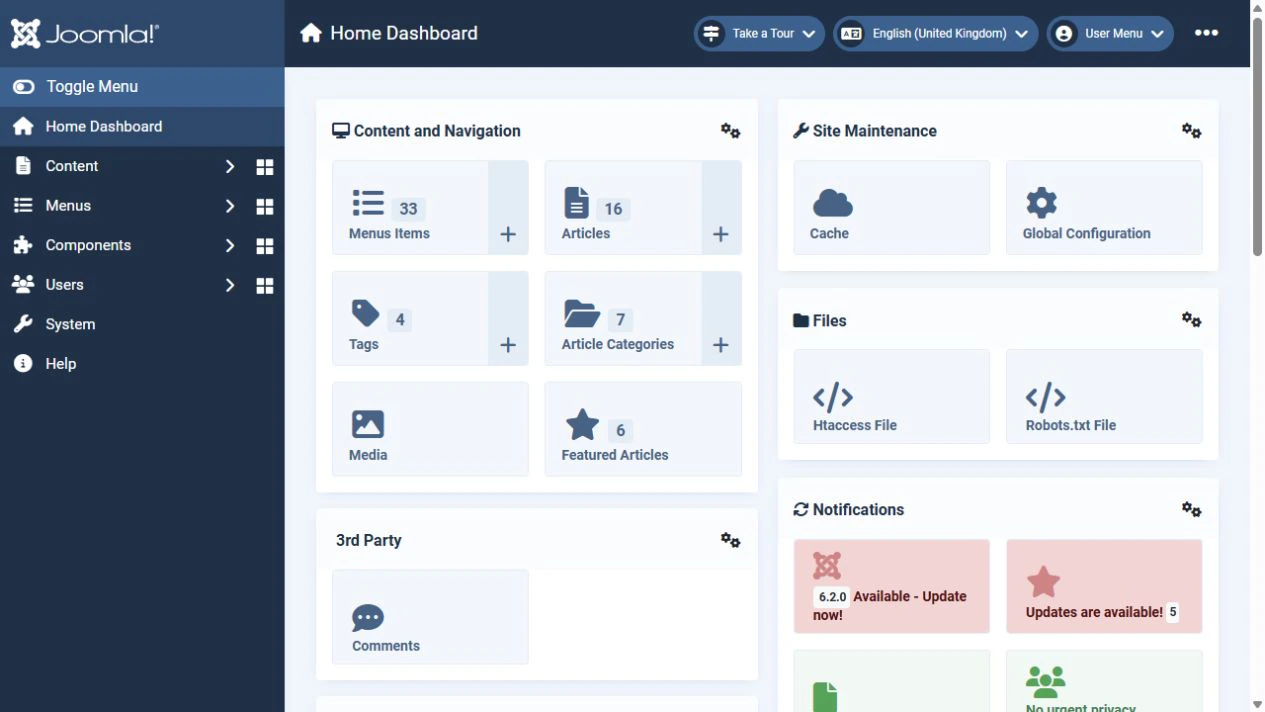
Joomla divides the main tasks between content, menus, components, users and system settings. The home dashboard and section dashboards contain administration modules and quick links. For example, you can create an article or open categories or media from the dashboard. The System dashboard groups installation, updates, templates and site maintenance.
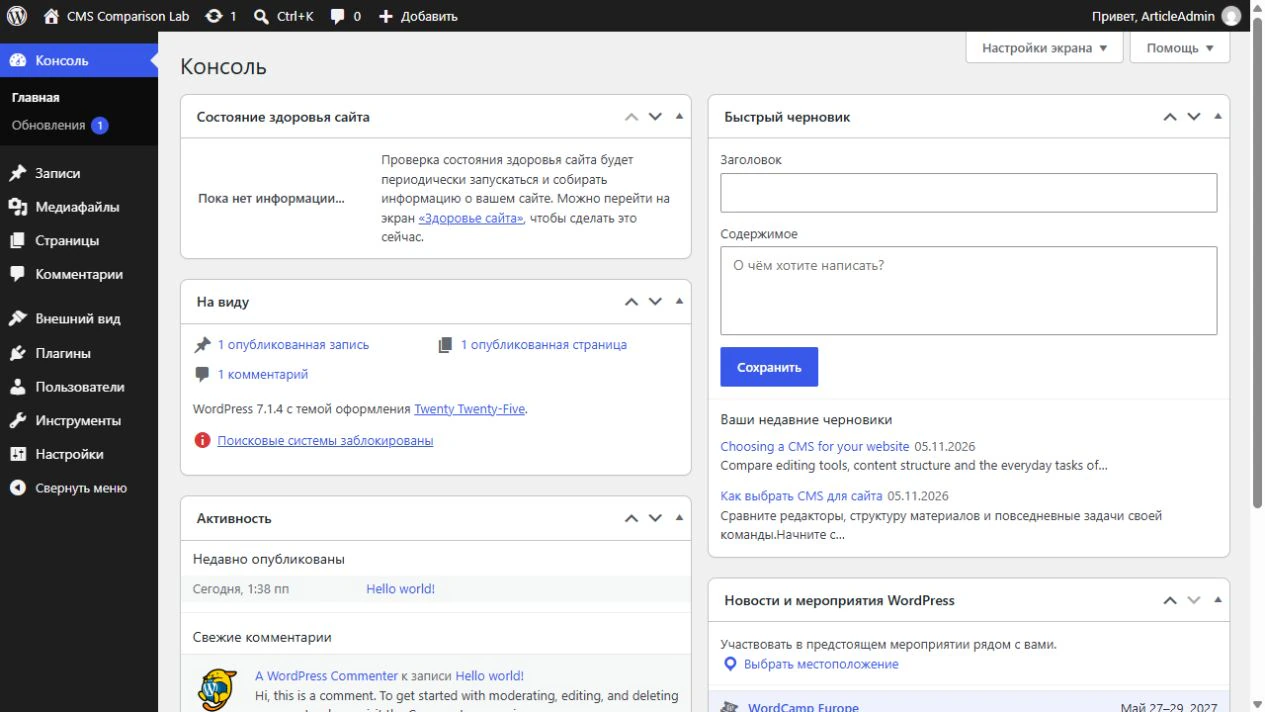
WordPress provides a sidebar for posts, pages, media and other sections, as well as a toolbar for quick actions. In WordPress 7.1, the Command Palette is available across administration screens. It helps users find content and actions and navigate to sections and settings. Open it from the toolbar or with Ctrl+K, or Cmd+K on a Mac.
Lists and bulk operations
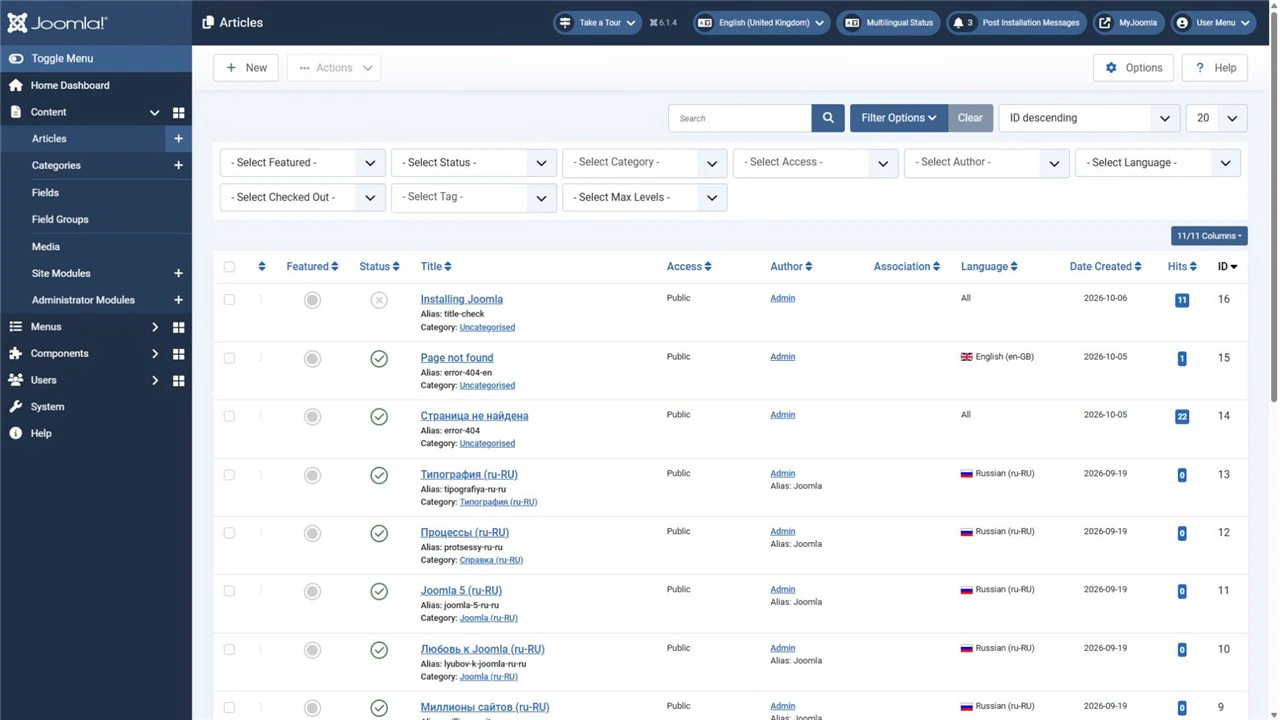
Joomla lets you combine several filters in the article list. For example, you can find unpublished Russian articles in a particular category and access level. Selected articles can be processed in a batch, including changes to their category, language and access. This helps maintain a multilingual portal without opening every article individually.
WordPress also offers search, status, date and category filters, Quick Edit within the list and bulk changes. Joomla’s advantage for a multilingual editorial team is that content languages and access levels already belong to its common article management model.
Customising the workspace
In Joomla, an administrator can configure the dashboard modules and use groups and permissions to define the actions available to each member of staff. Guided Tours and Inline Help support learning. Profile accessibility settings include increased contrast and larger text in the administration interface.
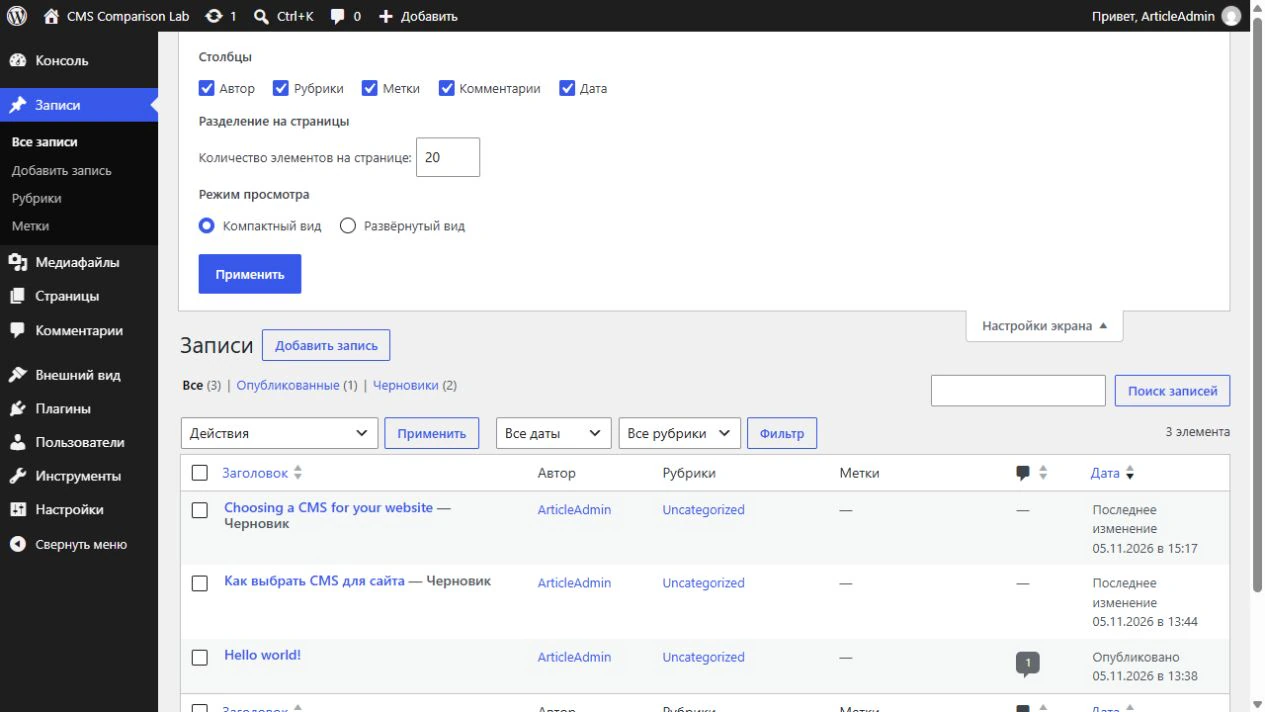
In WordPress, dashboard widgets and the available list options are controlled through Screen Options. On supported screens, users can choose columns and the number of items per page. Contextual Help explains the current section. Both CMSs therefore allow the workspace to be adapted, although the available settings differ.
The learning curve
A Joomla beginner needs to understand how articles, categories, menu items and modules relate to each other. Once learned, this model provides precise control over the site structure. WordPress requires an understanding of posts versus pages and, when using a block theme, the content editor versus the Site Editor. Additional extensions can change the interface considerably in either CMS.
For a business website or portal with several languages and editors, Joomla’s strength is the ability to organise the workspace around standard filters, permissions and management tools. If staff mainly write individual posts and build pages from blocks, test WordPress on the same tasks. Use a prototype to compare the number of actions, clarity of settings and likelihood of errors for the people who will use the site.
Which editor is easier to use?
In Joomla, the article is the main publishing unit. Editors work with text and images, choose a category and complete the available fields. TinyMCE is included, and a different editor can be installed if needed. Joomla 6.2 improves its integration with the Media Manager, link selection and the Read More separator.
WordPress posts and pages are created in the block editor. Paragraphs, images, headings and galleries are individual blocks used to build the content. This differs from the classic TinyMCE-based editor described in older comparisons.
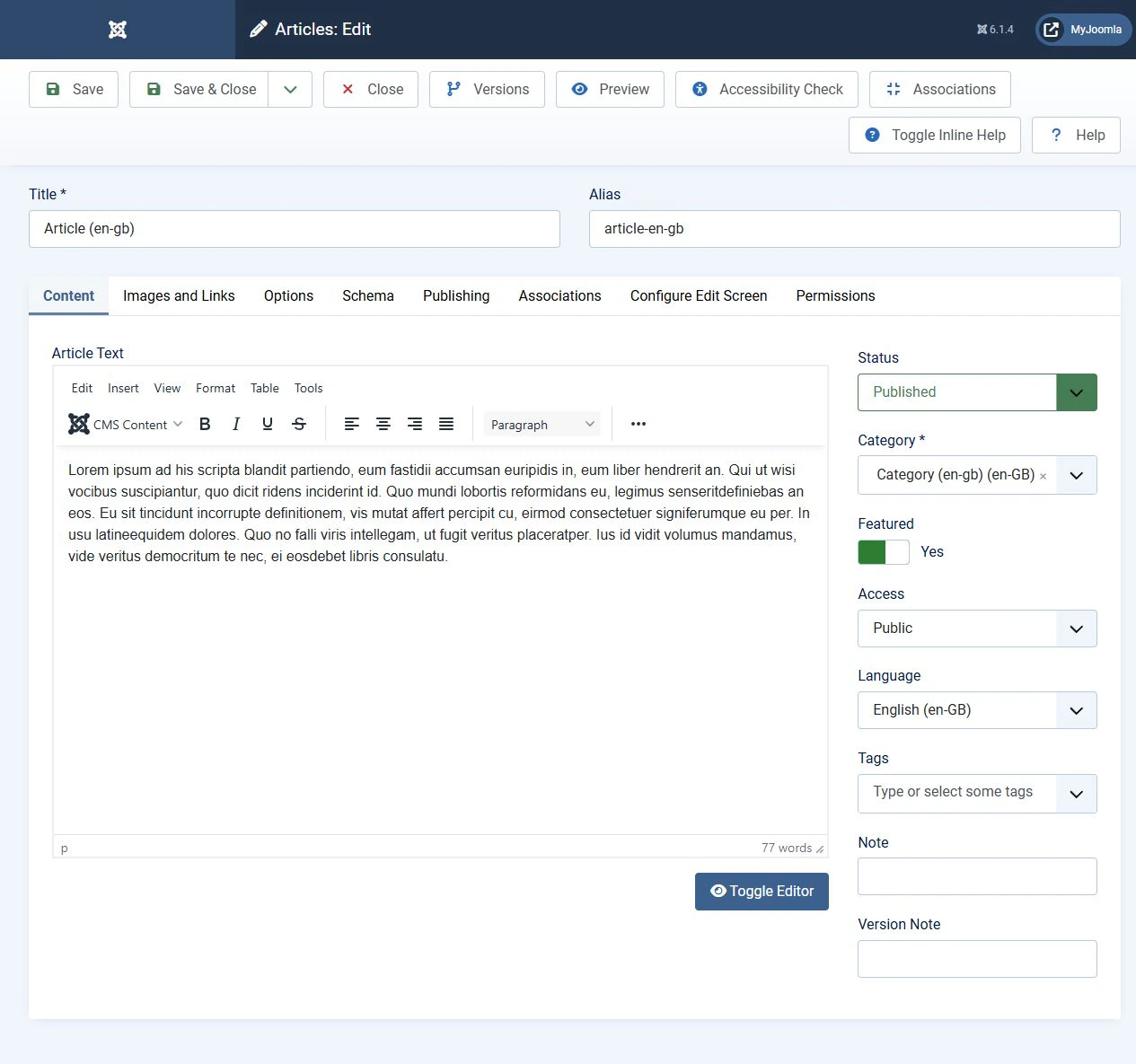
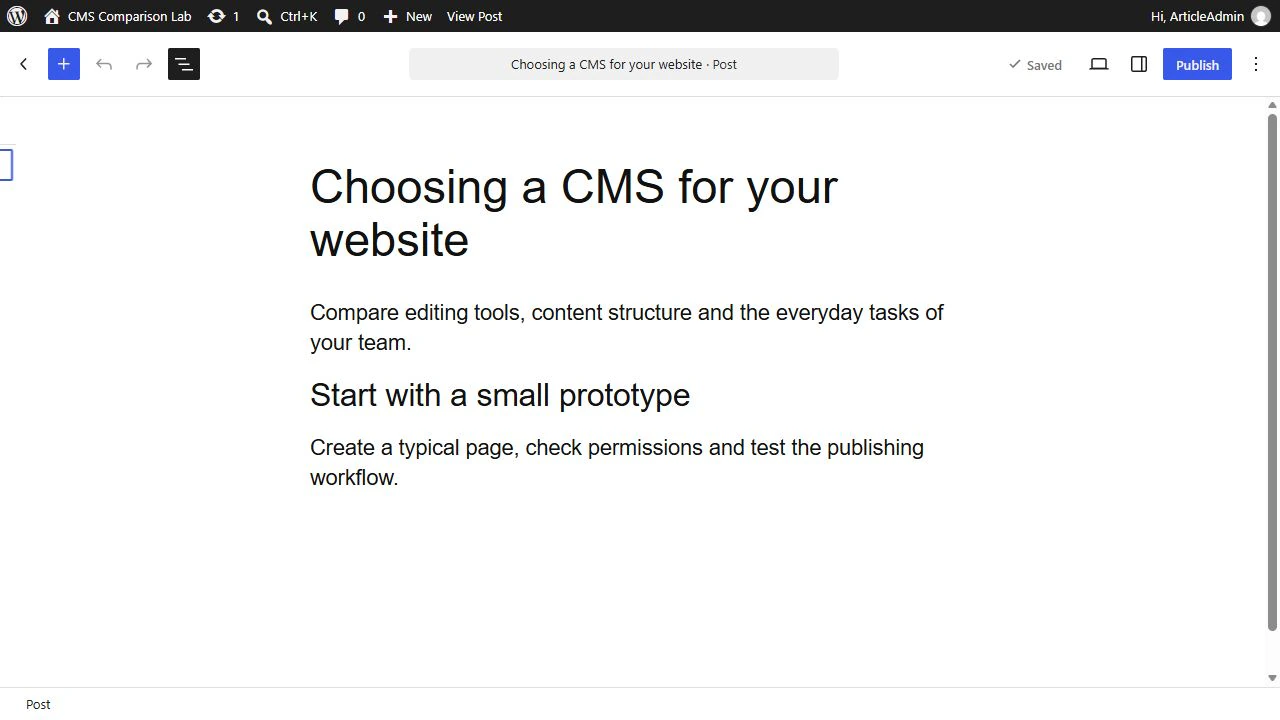
Neither interface is universally easier to use. One team may prioritise flexible page building, while another needs a consistent article structure and a limited set of fields. Test how many actions a typical publication takes and how easily an editor could accidentally break its layout.
Design and template customisation
Joomla template overrides can change the output of components and modules. They keep custom markup separate from the extension’s original files. Overrides still need to be checked for compatibility after updates.
WordPress also supports design changes without directly editing the parent theme. A child theme can override its templates. With a block theme active, the Site Editor provides block-based controls for templates, headers, footers and styles. Whether a particular plugin’s output can be overridden depends on that plugin.
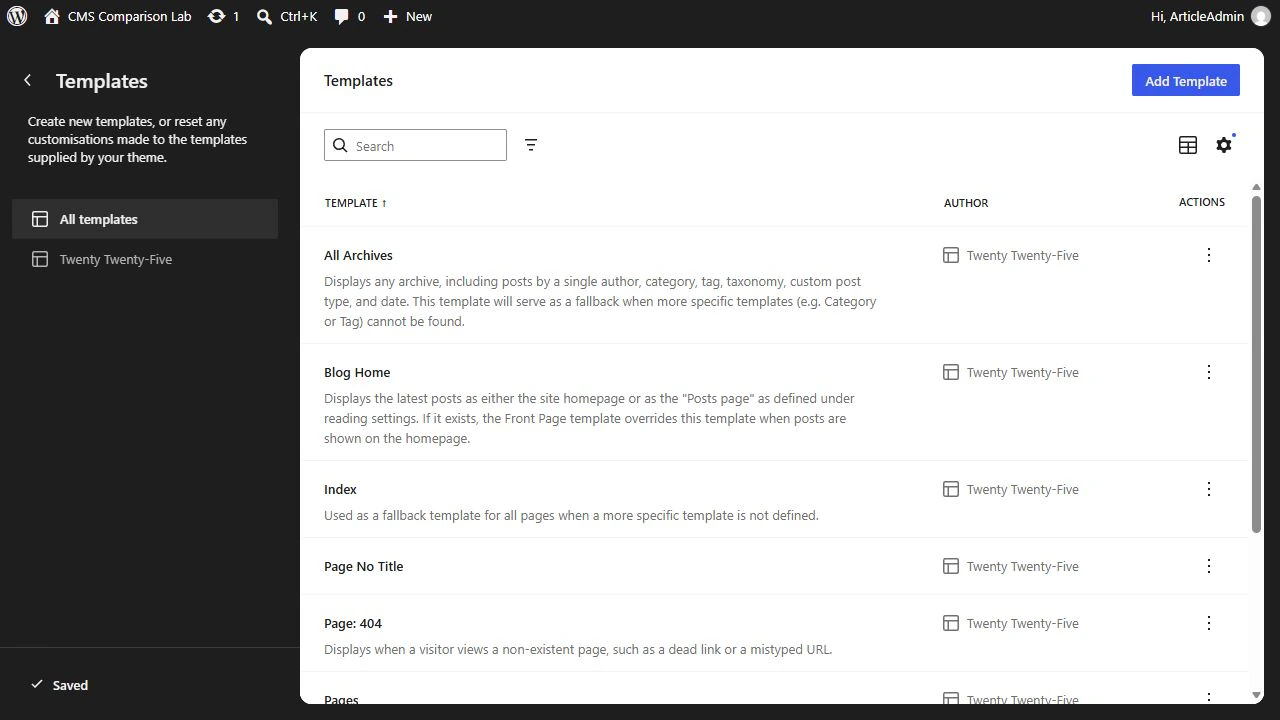
Design quality depends on the chosen template or theme and the work put into the layout. The CMS name alone does not make a website look better.
Permissions, custom fields and languages
Joomla includes user groups, viewing access levels and action permissions. You can define separately who can see an article and who can create, edit or publish it. Inheritance helps configure access for sections of the site without repeating every rule.
WordPress has a system of user roles and capabilities, so it is incorrect to say that it lacks access control. If the standard roles are insufficient, additional rules can be implemented through a plugin or code. Compare a specific scenario, such as allowing an editor to change only articles in their own section.
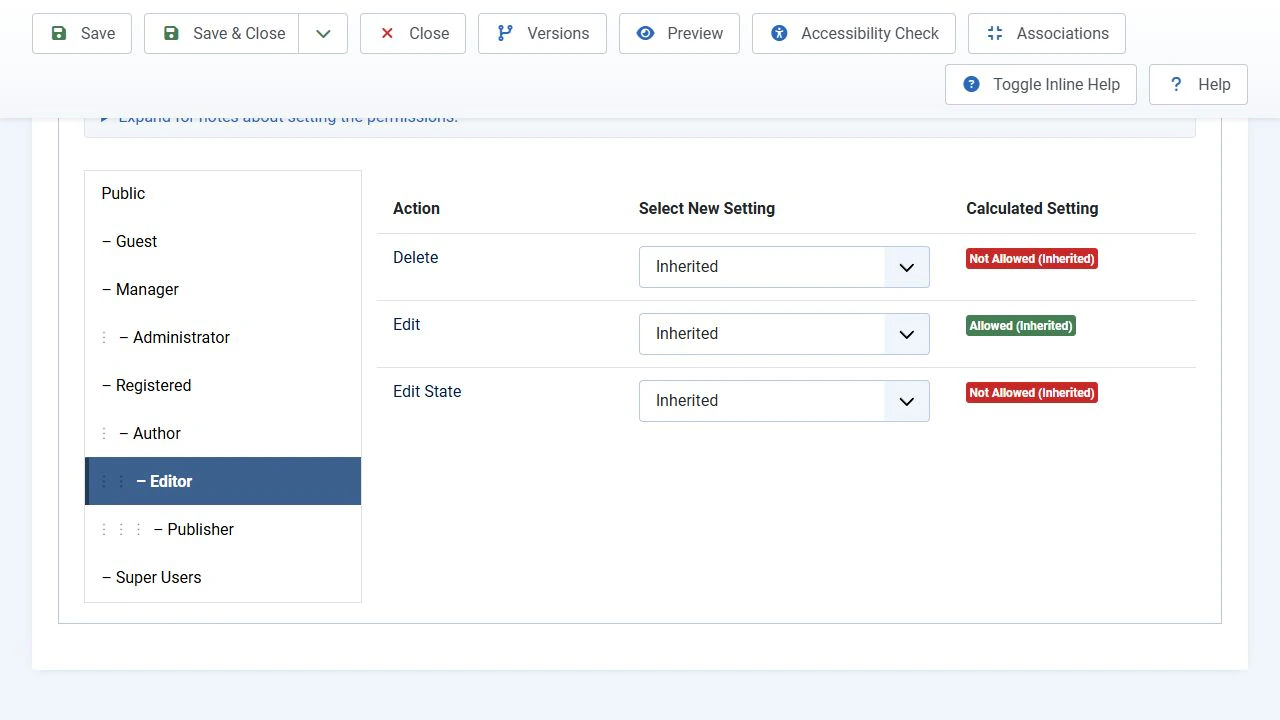
Both CMSs have custom fields. Joomla provides an interface for choosing field types and grouping fields. WordPress has post metadata and a simple name/value panel that is hidden by default. Forms with field types, groups and complex structures usually require a plugin or development. These are different approaches, rather than a feature that exists in one system and is entirely absent from the other.
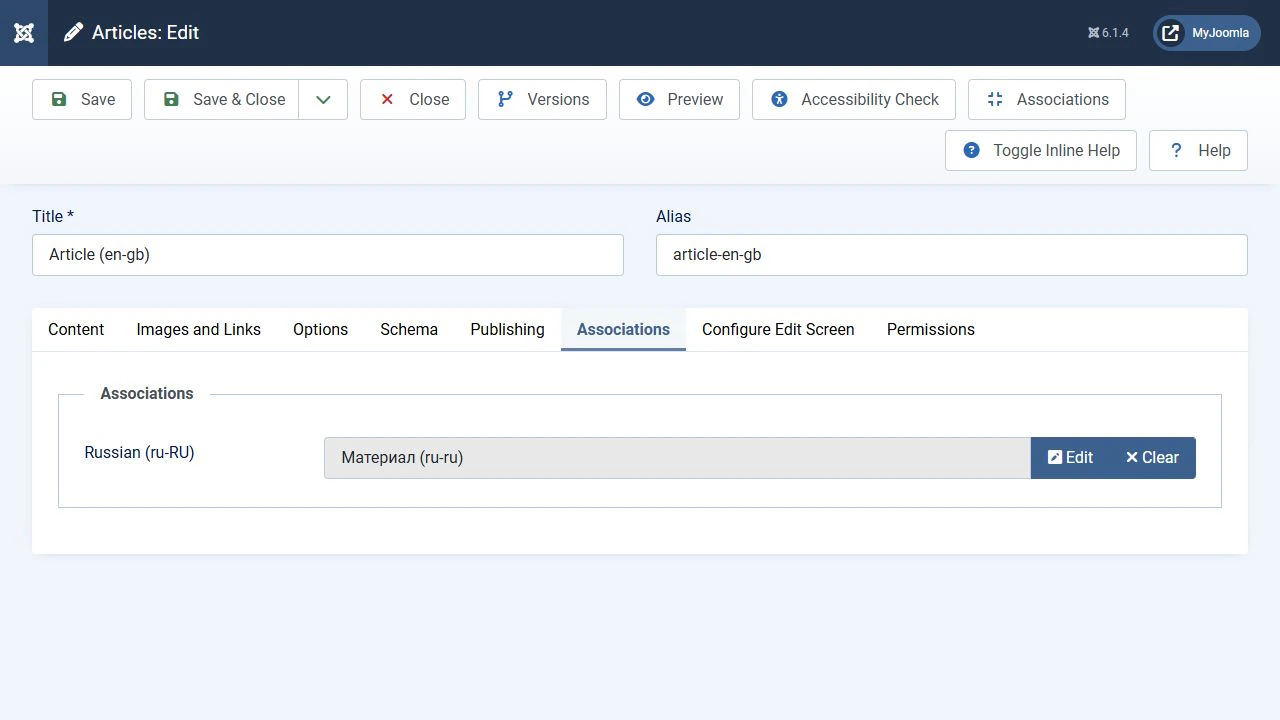
Joomla can assign languages to articles and associate translations using its standard tools. The text still needs to be translated and the language structure configured. In WordPress, interface localisation does not replace multilingual content management, which needs a separate solution. For a multilingual website, check in advance how menus, URLs, metadata and extension content will be translated.
Which CMS is better for SEO?
Both CMSs include tools for technical optimisation. Joomla provides more ready-made fields and settings for managing metadata and structured data. The table compares the standard installations of Joomla 6.2.0 and WordPress 7.1.4 without third-party SEO extensions.
Built in — a standard feature. With limitations — depends on conditions or configuration. Additional solution needed — requires an extension, code or an external solution. Each statement in a mixed answer is coloured separately.
| Feature | Joomla 6.2.0 | WordPress 7.1.4 |
|---|---|---|
| Automatic title generation | Built in. The browser page title is generated by standard tools | Built in. The document title is generated by standard tools, with theme support for its output |
| A separate title that differs from H1 | Built in. Articles and menu items have separate fields. The menu item setting may take priority | No standard tool. Posts have no separate SEO title field. Independent editing usually requires a plugin or code |
| Main H1 heading | Built in. Article and page headings are available. The layout and settings determine H1 output | Built in. Post or page titles and a Heading block are available. The theme and template determine H1 output |
| H2–H6 subheadings | Built in. Added in the article editor | Built in. Added with a Heading block or through the code editor |
| Readable URLs and editable page addresses | Built in. SEF URLs, editable article, category and menu aliases, and removal of index.php with server configuration | Built in. Permalink settings and editable post or page slugs |
| Meta description | Built in. Standard meta description fields for articles and menu items | No standard tool. Core has no separate meta description field. A plugin or code is used |
| Indexing control through meta robots | Built in. Site, article and menu item settings, including noindex | Partial. A site-wide search engine visibility setting is available. Selective control over individual posts usually requires a plugin or code |
| Schema.org structured data | Built in. Standard plugins, schema type selection and fields, including Article, BlogPosting, Event, Recipe and others | No standard tool. There is no general interface for choosing Schema.org types. Markup is added by a theme, plugin or custom code |
| Language associations and hreflang | Built in. Content languages and translation associations can generate alternative language links when the multilingual site is configured | No standard tool. Multilingual content and the corresponding hreflang links require a separate solution |
| Breadcrumbs | Built in. The standard installation includes a Breadcrumbs module | Built in. WordPress 7.1 includes a Breadcrumbs block for pages and templates |
| Canonical URL, rel=canonical | Partial. The SEF plugin can generate a canonical link when a canonical domain is configured. An arbitrary canonical URL for an individual page requires customisation | Partial. Canonical links are generated automatically for individual posts and pages. An arbitrary override requires a plugin or code |
| XML sitemap | No standard tool. There is no standard XML sitemap generator. An extension or external solution is needed | Built in. A basic XML sitemap is available at wp-sitemap.xml |
| Redirects for old and broken URLs | Built in. A redirect manager and system plugin are available, including configuration of 301 redirects | Partial. Some old slugs are redirected automatically. A manager for arbitrary rules is added separately |
| Alternative text for images, alt | Built in. Set in image options and the article editor | Built in. Set in the Media Library and Image block |
Joomla’s practical advantage is that a separate title, meta descriptions, robots settings and Schema.org forms can be completed using standard tools. This covers a substantial part of SEO work without installing a general SEO package. WordPress already generates titles, readable URLs, canonical links and a basic XML sitemap, so it would be incorrect to describe those features as missing.
Check the settings against the finished page: the title it outputs, the number of H1 headings and the correctness of canonical links, hreflang and structured data. Joomla’s output can be affected by menu item settings and template overrides. In WordPress, themes and block templates can affect the result.
The keywords meta tag should not be considered an advantage for Google, which does not use it for indexing or ranking. Structured data does not guarantee a rich search result either. It must match the page content and meet the search engine’s requirements.
Security: popularity and real attacks
WordPress is considerably more popular than Joomla. According to W3Techs on 5 November 2026, it powers 39.5% of all websites, compared with 1.1% for Joomla. Among websites with an identifiable CMS, their shares are 58.2% and 1.6% respectively. These figures use different denominators and must not be mixed.
A large installed base makes WordPress an attractive target for attacks at scale. After discovering a vulnerability in a widely used plugin, attackers can automatically find and attack many websites. This puts WordPress in the sights of large malicious campaigns. However, the number of individual hackers cannot be determined from the number of requests or infections.
Infected website statistics
Sucuri’s reports show the distribution of detected infections by CMS. These figures describe the composition of the company’s sample.
| Report year | WordPress | Joomla |
|---|---|---|
| 2022 | 96.2% | 1.9% |
| 2023 | 95.5% | 1.7% |
The 2023 report’s methodology includes 39,594 cleaned websites and 108,122,130 remote scans. These are Sucuri’s observations, rather than a census of every website compromise on the internet. The 1.7% figure does not mean that 1.7% of Joomla websites were compromised. The percentages describe the composition of detected infections and do not establish the probability of an individual website being compromised. The 2022–2023 data also does not measure risk for Joomla 6.2 and WordPress 7.1.
The scale of threats in 2026
Wordfence’s report for the second quarter of 2026 provides a more recent picture for WordPress. Across its network, the company logged or blocked through WAF rules 10.4 billion requests, including vulnerability exploitation attempts and probing. It also blocked 18.2 billion password attacks and detected malicious code on 573,000 websites.
Requests and password attacks are attempts, rather than successful compromises. Websites with malicious code were not necessarily infected for the first time during that quarter. The report shows the scale of threats across Wordfence’s observed network, but it does not provide a comparable figure for Joomla.
Separately, Patchstack’s State of WordPress Security in 2026 report lists 11,334 new vulnerabilities registered in the WordPress ecosystem during 2025. According to the company, 91% were in plugins. This is a share of discovered vulnerabilities, rather than a share of compromises caused by plugins.
Joomla’s practical advantages
Joomla includes multi-factor authentication, flexible access control and a user action log. Login protection can be configured with standard tools, and editors’ permissions can be limited to the actions they need. A comparable WordPress configuration is assembled with additional tools.
When Joomla’s built-in tools meet a requirement, a separate third-party package is unnecessary. This reduces the number of external dependencies, updates and compatibility checks. The benefit is particularly clear for projects that need several languages, complex permissions and structured content at the same time.
Both CMSs still need a supported PHP version, updates, secure accounts and backups with tested restoration. Joomla extensions also need to be assessed and maintained. Built-in protection is useful when it is configured correctly.
Performance, scaling and complex projects
Joomla includes view and module cache settings and a standard page cache plugin. WordPress has an object cache that, by default, operates within a single request. Full-page caching and persistent object caching are provided through plugins, the server or the hosting service. Built-in caching does not establish that every Joomla website is faster than every WordPress website.
Compare the same tasks on comparable hosting: opening an article list, searching, working as a logged-in user and performing store operations. Account for image sizes, external scripts, database queries and cache behaviour. Shopping carts and personal data need particular attention when configuring caching.
WordPress has no universal limit of 10,000 products. Acceptable load depends on the catalogue, search, filters, integrations and infrastructure. Similarly, Joomla does not automatically remain fast regardless of how much functionality is added.
WordPress supports custom post types, so it is not limited to blogging. Specialised projects on both platforms require suitable extensions or development. Before choosing a CMS, test the project’s key feature and the ability to export data if you change solutions.
Joomla’s CMS Critic Awards
Joomla is a repeated winner of the CMS Critic Awards. Counting the project’s published awards and checking the organiser’s results gives at least 16 wins in individual categories across the 2014–2025 award cycles. These are category wins, rather than 16 different years. Joomla has won Best Free CMS 10 times, including nine consecutive contests from 2015 to 2023.
| Award year | Joomla’s wins |
|---|---|
| 2022 | Best Free CMS |
| 2023 | Best Free CMS and Best Open Source CMS |
| 2024 | Best Open Source CMS |
| 2025, results announced in March 2026 | Best Free CMS and Best Open Source CMS |
Most of these awards are People’s Choice awards decided by user voting. They demonstrate sustained community support. Joomla also received the editorial Critics’ Choice award for Best Open Source CMS in 2021. Awards complement an assessment of the features, usability and maintenance needs of a particular project.
Why Joomla is chosen for complex content
Consider a business website that needs two languages, a service catalogue with custom fields, departmental editors, contact forms and publication approval. Joomla already provides language associations, fields, groups and permissions, contacts and workflows for these tasks. WordPress needs additional tools for multilingual content, forms with typed fields and detailed access rules. This is a concrete argument for Joomla before purchasing extensions.
Costs and the practical choice
Compare costs across the project’s lifetime: development, hosting, extension licences, updates, backups and specialist work. A free extension is not necessarily poor, and a paid one does not guarantee quality. Compatibility and support renewal terms are particularly important.
Shortlist Joomla if the project needs several languages, different editorial groups and structured articles. Its built-in tools can cover a substantial share of these requirements without a separate extension for each feature.
Shortlist WordPress if the team prefers block editing and suitable themes and plugins have already been identified. Check how they work together and what they cost to maintain.
For the final decision, build a small prototype with a typical page, an article with custom fields, an editor role and a translation. Then check mobile display, search, updating and restoring a backup. This test will provide more useful information than a general CMS ranking.
Frequently asked questions
When choosing a CMS, consider the learning curve, the need to migrate and the finished website’s requirements separately.
Which CMS should a beginner choose?
Start with the system that makes your real tasks easier and for which support is available. Test WordPress if you will regularly build pages from blocks. If language versions and access control matter, make sure you also test Joomla.
Should a working website move to another CMS?
First identify the problem: difficult editing, unsupported extensions, missing features or high maintenance costs. If it can reasonably be resolved within the current system, migration may be unnecessary. Migration needs a separate plan for data, URLs, redirects and verification.
Can a CMS be chosen on SEO or speed alone?
These factors must be assessed in a specific implementation. Choose the platform on which the team can maintain the required functionality, content quality and reliable operation.
Choosing for your project
For a multilingual business website, information portal or project with structured articles and different editorial permissions, Joomla should be tested first. It provides more ready-made administration tools and can reduce reliance on third-party extensions. WordPress remains a suitable choice when the team values block editing and has identified a compatible set of solutions. Confirm the final decision with a prototype using real tasks, maintenance costs and tests of updating and restoring the website.
The original article was prepared by Alexander Kurteev, Anton Majoroff and Vadim Kunitsyn. This comparison has been updated to reflect the current capabilities of both CMSs.
Terms used:
Media Manager, Package, Override, Extension, Smart search, Template, CMS, PHP, SEO, XML, Authentication, Backup, Sitemap, Menu, Redirect, URL, noindex, hreflang, Meta description, Structured data, Indexing, Database, Hosting, Caching, Log, User, Custom field, Language associations, Layout


