

Table of contents
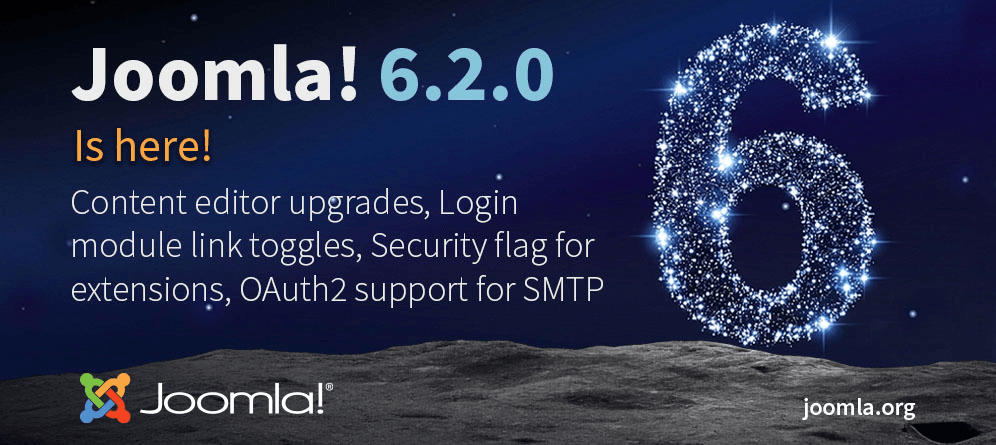
Joomla 6.2.0, code-named Mwezi, was officially released on 13 October 2026. This scheduled feature release introduces new tools for editors and administrators, improves TinyMCE integration, expands options for articles, categories and modules, and adds OAuth2 support for outgoing email.
Joomla 6.2.0 is a new minor release in the Joomla 6 series. It includes new features, bug fixes, security improvements and changes for developers. The release was created by Joomla community contributors from around the world.
What Is New in Joomla 6.2.0?
The main changes in Joomla 6.2.0 affect the TinyMCE editor, articles and categories, modules, the administrator interface, installation, security and outgoing email.
Improved TinyMCE Integration with Joomla
The built-in TinyMCE editor has received several improvements designed to make everyday content editing easier.
- Media Manager integration: selecting images and other media files now opens Joomla's built-in Media Manager.
- Unified link selector: buttons for inserting links to articles, contacts and menu items now use a new shared selection interface.
- Read More button: article breaks can now be inserted more quickly from within the editor.
- Joomla text filters: TinyMCE now follows Joomla's text-filtering configuration by default instead of relying on its own list of valid HTML elements.
- TinyMCE update: the editor itself has been updated, and untranslated button names in the toolbar builder have been fixed.
Using Joomla's built-in text filters makes editor behaviour more consistent. Permitted and prohibited HTML tags are now controlled centrally through the settings assigned to user groups.
New Article and Category Features
- Separate CSS classes for images and
figureelements: intro and full article images now have separate class fields for the image itself and its surrounding container, providing greater control over their appearance. - Subcategory images: images assigned to nested categories can now be displayed in category lists and blog layouts for articles, contacts and news feeds.
- Correct handling of categories containing scheduled articles: Joomla no longer incorrectly treats a category as empty when its articles are scheduled for future publication.
Additional Module Options
Joomla 6.2.0 expands the configuration options available for standard modules.
- Login module: administrators can now hide the “Forgot your password?” and “Forgot your username?” links in the module settings without creating a template override.
- Multi-level menus: submenu toggling in the standard menu layout has been fixed, providing more reliable navigation through deeply nested menus.
Administrator Interface Improvements
- Grouped search results: items in Fancy Select fields now appear with the name of their group. This is particularly useful when searching for module positions and other similarly named items.
- New Joomla Help page: the Help section in the administrator area has been completely redesigned to match the Atum administrator template and provide better navigation.
New Security Update Labelling
Extension developers can now mark a new version of their product as a security update and specify its severity, ranging from None to Critical.
These updates will be highlighted:
- Under System → Update → Extensions.
- In the update notification quick icon on the administrator dashboard.
This will help administrators distinguish ordinary feature releases from updates that have a direct impact on website security.
Improved Error Handling During Installation
The Joomla web installer now reports failures more precisely. If a problem occurs during installation, administrators should find it easier to identify the affected stage and determine what needs to be corrected.
OAuth2 for Outgoing Email
One of the most notable technical additions is generic XOAuth2 support for mail server authentication.
Instead of permanently storing the password for an email account, Joomla can authenticate with the mail provider and receive a long-lived refresh token. Joomla can then use this token to request short-lived access tokens for SMTP authentication.
The new mechanism is particularly relevant to:
- Microsoft 365.
- Google Workspace.
- Other email services that support OAuth2.
Changes for Developers
Joomla 6.2.0 substantially reorganises the JavaScript and CSS asset build process. It introduces new builders, registries, and watch and build commands. These changes are primarily relevant to developers of Joomla core, templates and extensions.
Before updating a production website, check the compatibility of third-party templates, system plugins and extensions that interact directly with Joomla's assets.
Can I Upgrade from Joomla 5.4?
Yes. The Joomla Project officially describes the move from Joomla 5.4 to Joomla 6.2 as an upgrade rather than a migration. Most modern extensions should continue to work when the Behaviour — Backward Compatibility 6 plugin is enabled.
The backward compatibility plugin is a temporary tool. It helps older extensions run on Joomla 6, but it is not a substitute for updating them. You should gradually move to extension versions that provide native Joomla 6 support.
Joomla 6.2 System Requirements
Before updating, make sure that your server meets the Joomla 6.x requirements.
- PHP: the minimum supported version is 8.3; PHP 8.4 is recommended.
- MySQL: version 8.0.13 or later is required; MySQL 8.4 is recommended.
- MariaDB: the absolute minimum is 10.4, version 10.6 or later is supported, and MariaDB 12.0 is recommended.
- PostgreSQL: the absolute minimum is 12.0, version 14.0 or later is supported, and PostgreSQL 17.6 is recommended.
- Apache: version 2.4.
- Nginx: version 1.26 or later is supported; Nginx 1.29 is recommended.
- PHP memory limit: at least 256 MB is recommended.
The PHP extensions json, simplexml, dom, zlib and gd are required, along with an appropriate database driver. The mbstring extension is recommended.
How to Upgrade Safely to Joomla 6.2.0
Complete the following preparation before installing the new minor version.
- Create a complete backup of the website files and database and store it away from the production server.
- Check the system requirements, paying particular attention to the PHP and database versions.
- Update all extensions and the template to their latest Joomla 6.2-compatible versions.
- Open the pre-update check and carefully review all extension compatibility warnings.
- Test the update on a staging copy, especially if the website uses an online shop, a customised template, layout overrides or custom plugins.
- Go to System → Update → Joomla and install Joomla 6.2.0.
- After the update, clear the Joomla, server and CDN caches.
- Test the home page, administrator area, forms, outgoing email, authentication, search and other important functions.
Should You Upgrade Now?
For new projects, Joomla 6.2.0 is the current release and can be used after checking the compatibility of the selected extensions. Owners of existing Joomla 6.1 websites should install the update after creating a backup and testing it.
If your website is running Joomla 5.4 and all essential extensions already support Joomla 6, you can plan an upgrade to Joomla 6.2. If a critical component is not yet compatible, it is reasonable to remain temporarily on the latest Joomla 5.4 release while continuing to install all available security updates.
We Can Perform the Upgrade for You
If you are unsure whether your template and extensions are compatible, we can create a backup, inspect the website, prepare a staging environment, update Joomla to version 6.2.0 and resolve any resulting errors.
Submit a request List of services
Terms used:
Media Manager, Override, Core, CSS, HTML, JavaScript, MySQL, PHP, Authentication, Backup, Menu


