

Table of contents
There is no single best template for every Joomla website. One project may need only the standard Cassiopeia template, another may benefit from a layout builder, while a third needs a ready-made design with developer support. This guide compares the main options and explains how to check compatibility, maintenance costs, responsive behaviour and accessibility before installation.
What are we comparing?
When choosing a design for Joomla, distinguish between a template, a template framework and a page builder. Their features overlap, but they serve different purposes.
A template controls the website's presentation, including its main areas, styles, menus and component output. A single template can have several styles with different settings.
A template framework provides a shared foundation for several templates. It may include a layout builder, typography controls, menu settings and responsive options. Each template adds its own design and output overrides.
A page builder helps create content from blocks. A template's layout builder does not necessarily include a full page editor.
This article compares the features and product terms stated by developers. It is not a speed ranking or the result of testing every template on an identical website.
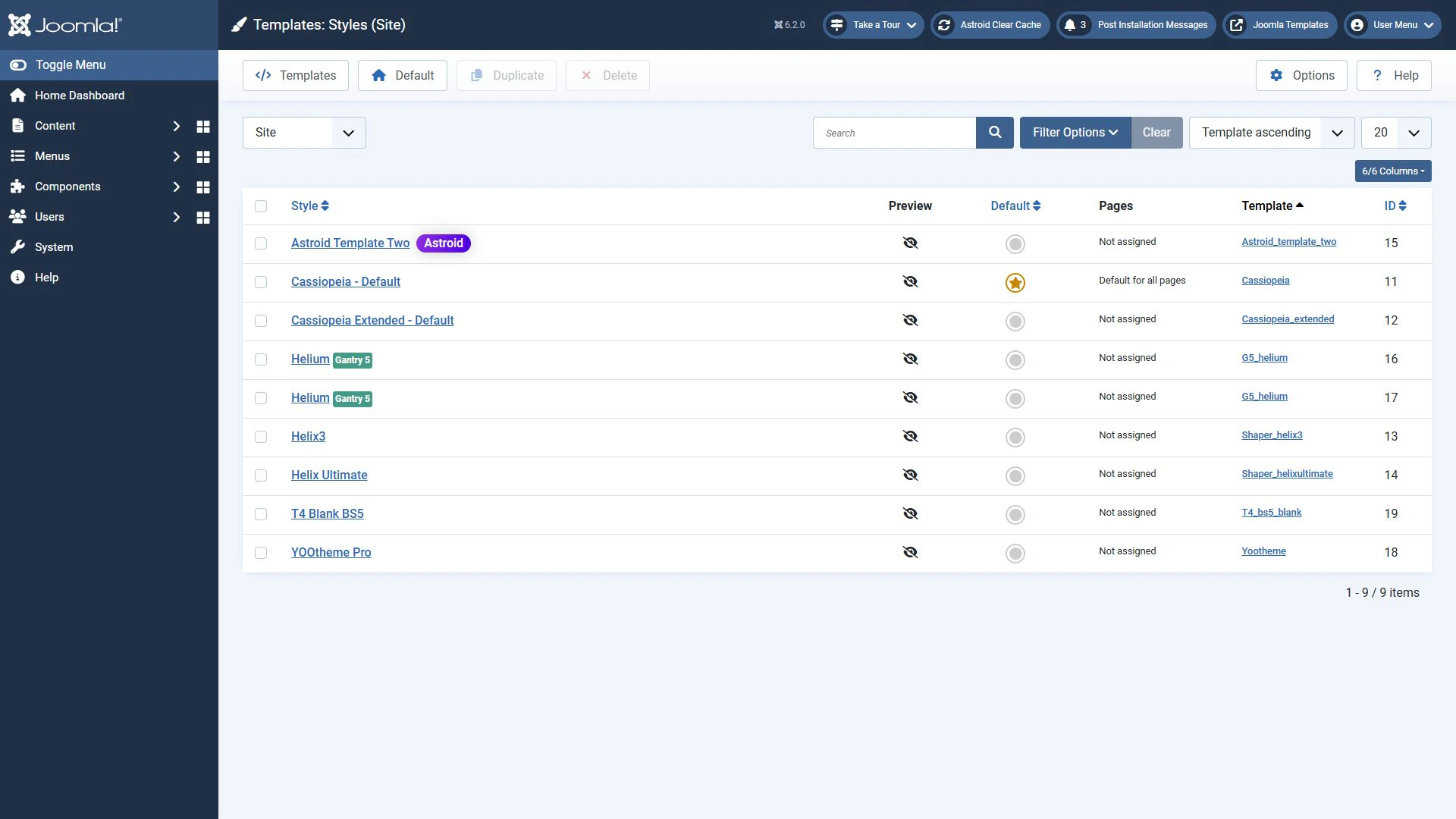
Comparing the main options
Start with the way you plan to work. A complex builder may be unnecessary for a straightforward information website. If you regularly create landing pages and change the design, visual tools can reduce manual work.
| Option | What you get | Access and costs | What to check before choosing |
|---|---|---|---|
| Cassiopeia | The standard Joomla template | Included with Joomla | Whether the built-in settings are sufficient and whether you can customise the design |
| Helix3 | A starter template and framework with layout, menu and typography settings | The basic package is free | Compatibility of the specific theme, current plugin versions and whether the existing features meet your needs |
| Helix Ultimate | A starter template and framework with a layout builder | The basic package is free | Compatibility of the chosen theme, the plugin version and any bundled extensions |
| Astroid | A framework with layout, menu and article presentation settings | An open-source core and paid Pro features | Which features are included in your edition and which template you will use |
| T4 | The JoomlArt framework and T4 Blank starter template | The framework is free, while ready-made themes have their own terms | Template and system plugin versions, download access and updates |
| Gantry 5 | A layout builder, particles and separate design configurations | The framework is free, while ready-made themes may be paid | Joomla and PHP support across the framework, theme and third-party particles |
| YOOtheme Pro | A template, style editor and page builder | A commercial subscription for downloads, updates and support | The number of sites covered, integrations and how much your layouts depend on the builder |
A framework's support for Joomla 6 does not guarantee that every template based on it is compatible. A theme can include its own overrides, scripts and additional extensions that also need updates.
Options to consider
Begin with a few options that suit your workflow. The following sections explain their purpose and the limitations to consider.
Cassiopeia
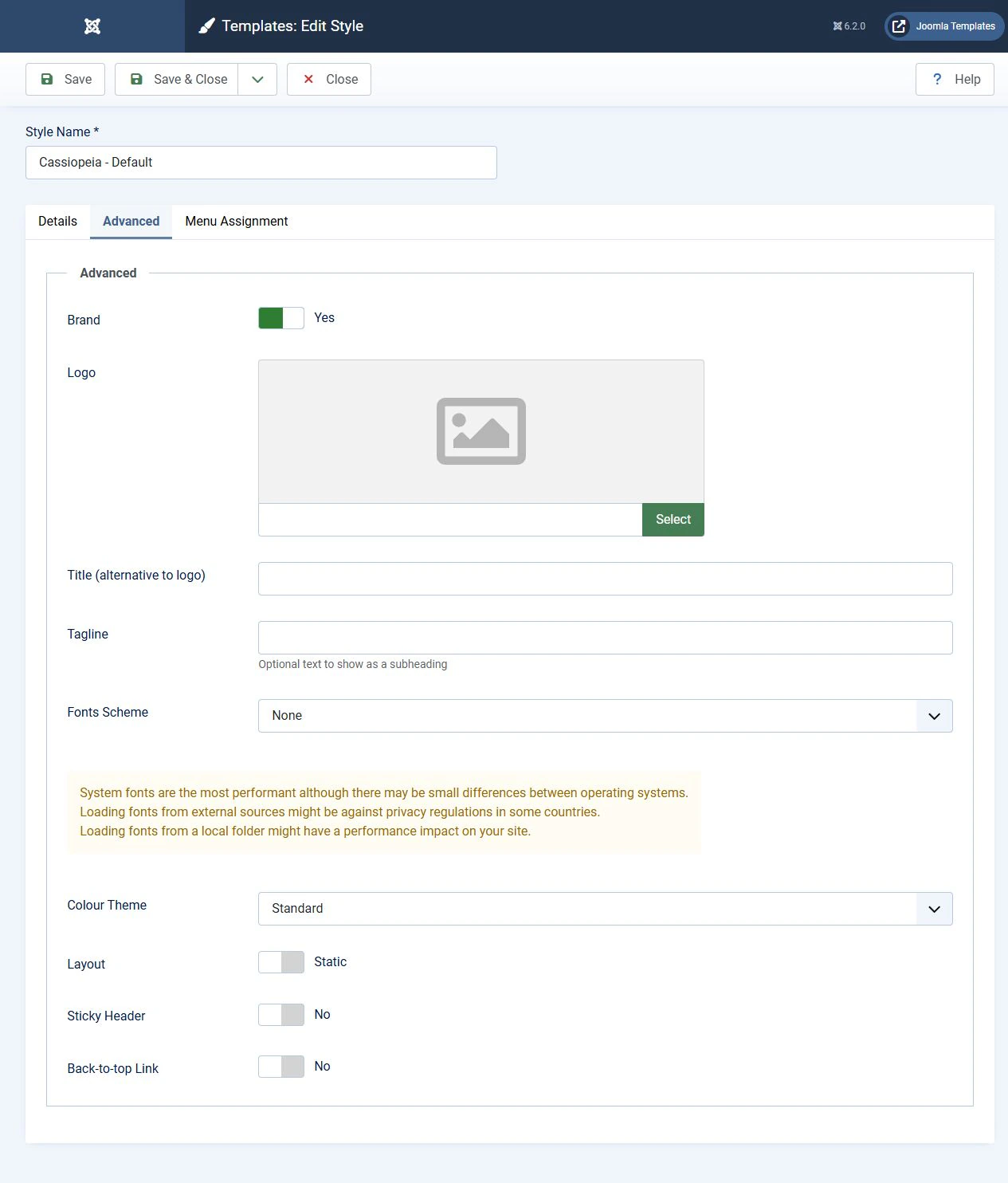
Cassiopeia is included with Joomla and remains the standard site template in Joomla 6. You do not need to install a separate template framework to get started.
It suits websites built around ordinary articles, menus and modules, provided its settings meet your needs or you can customise the design. It also provides a useful baseline for comparing third-party options.
Cassiopeia does not offer the same range of visual controls as specialised builders. More complex designs may require CSS, overrides or a child template. Store customisations in a way that prevents Joomla updates from overwriting them.
Helix3
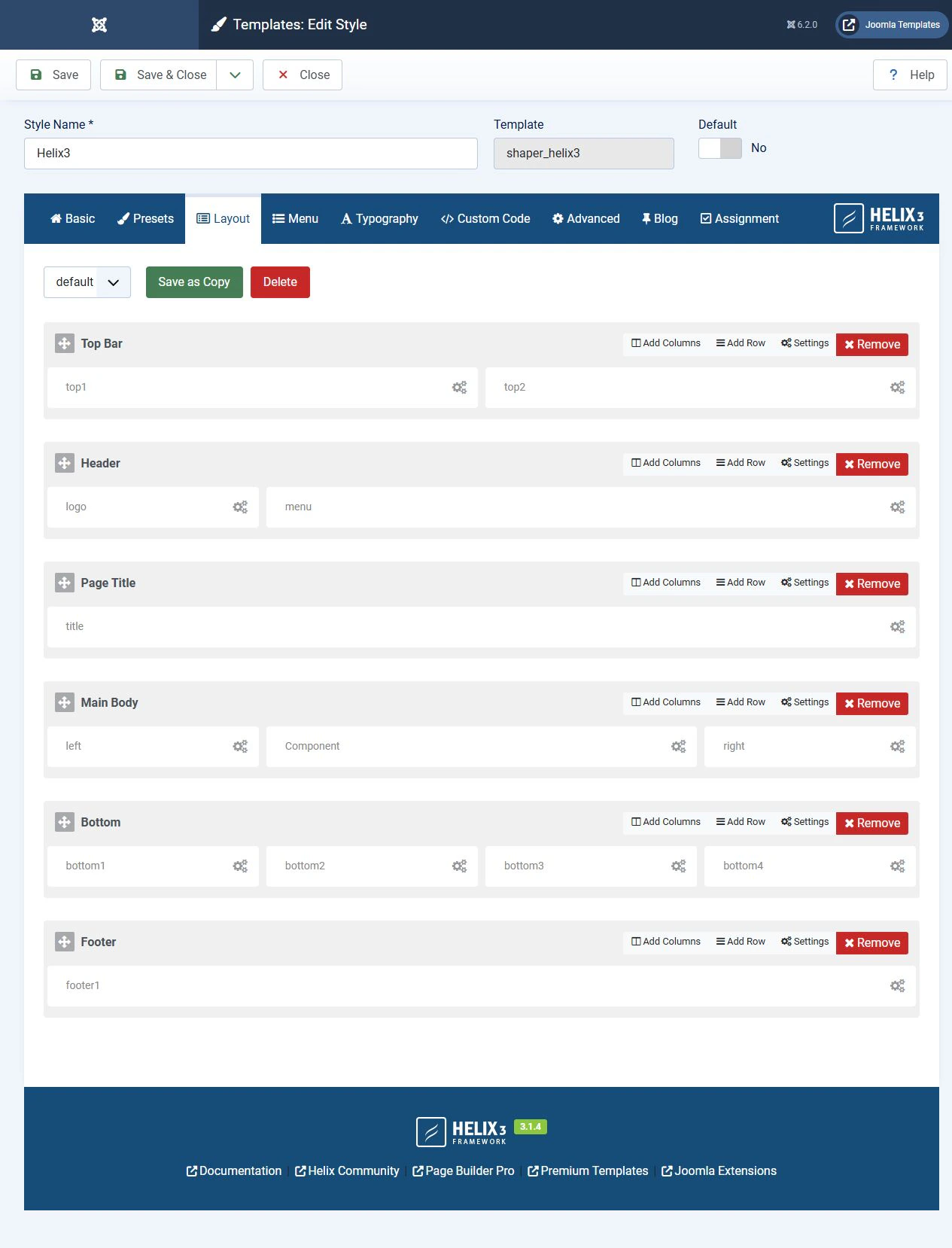
Helix3 is a free starter template and framework from JoomShaper. It provides layout and module position settings, a mega menu, a separate mobile menu, typography controls, and logo and header settings.
At the time of checking, the product page listed version 3.1.4 with Joomla 4, 5 and 6 support. Helix3 can therefore be considered for modern Joomla installations, subject to checking the specific theme and additional extensions.
The main limitation concerns future development. JoomShaper explains that Helix3 receives necessary compatibility and security updates, while new feature development focuses on Helix Ultimate. The developer recommends Helix Ultimate for new projects.
Helix3 is worth evaluating when a chosen template's design suits the project and its existing settings are sufficient. On an established site, assess the cost of moving layouts and customisations before changing frameworks. Helix Ultimate is a separate product, so moving to it is not a routine Helix3 update.
Helix Ultimate
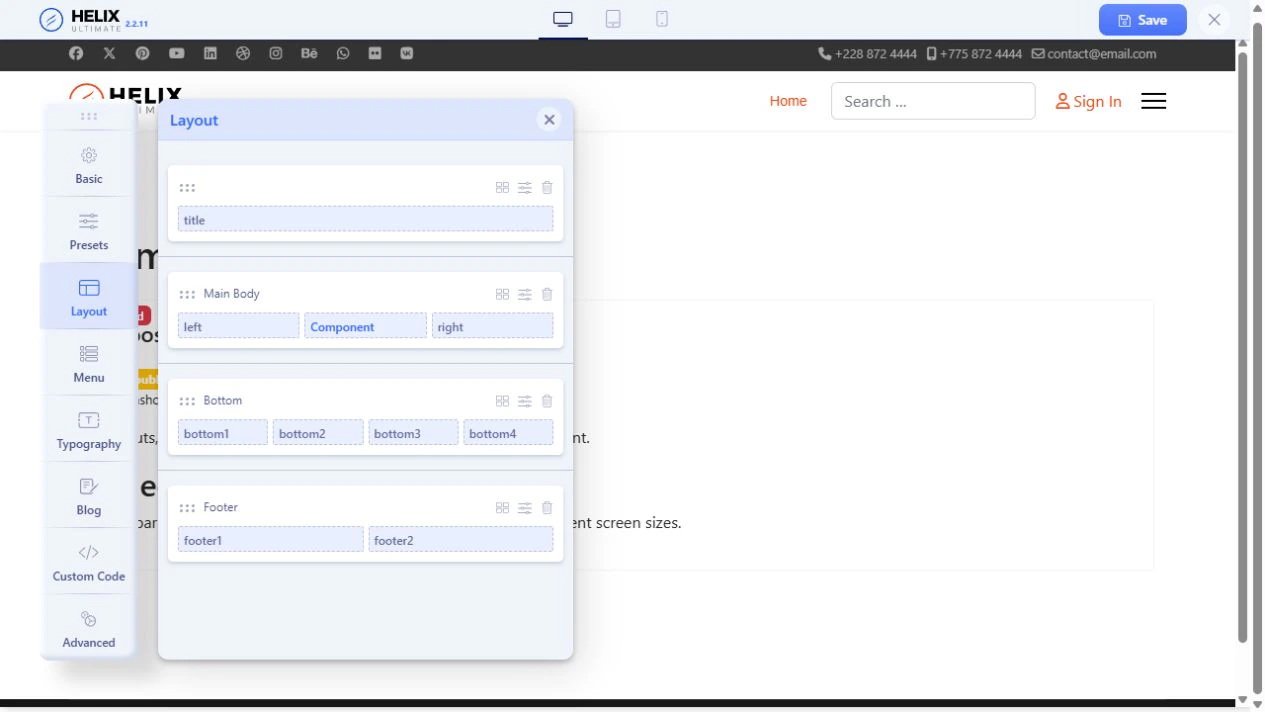
Helix Ultimate provides a starter template and a system plugin. Its settings panel controls layouts, module positions, menus, fonts and header variants.
The current branch uses Bootstrap 5. The developer states support for Joomla 5 and 6 and retains compatibility with Joomla 4.4. At the time of checking, the product page listed version 2.2.11.
Consider Helix Ultimate if you need visual controls for the overall design while keeping a familiar Joomla module workflow. SP Page Builder is a separate product. Check whether a particular template or bundle includes it, which edition is supplied and how updates are provided.
Astroid
Astroid provides layout builders and settings for menus, responsive behaviour and article presentation. Its public repository states support for Joomla 4, 5 and 6. At the time of checking, Astroid 3.5.3 was the latest release.
The free core and Pro edition have different features. List the functions you need and check which edition includes them.
Astroid can suit projects that need interface-based control over layouts and article output. Evaluate the framework together with a specific template. A long list of settings does not by itself show how easy the website will be to maintain.

T4
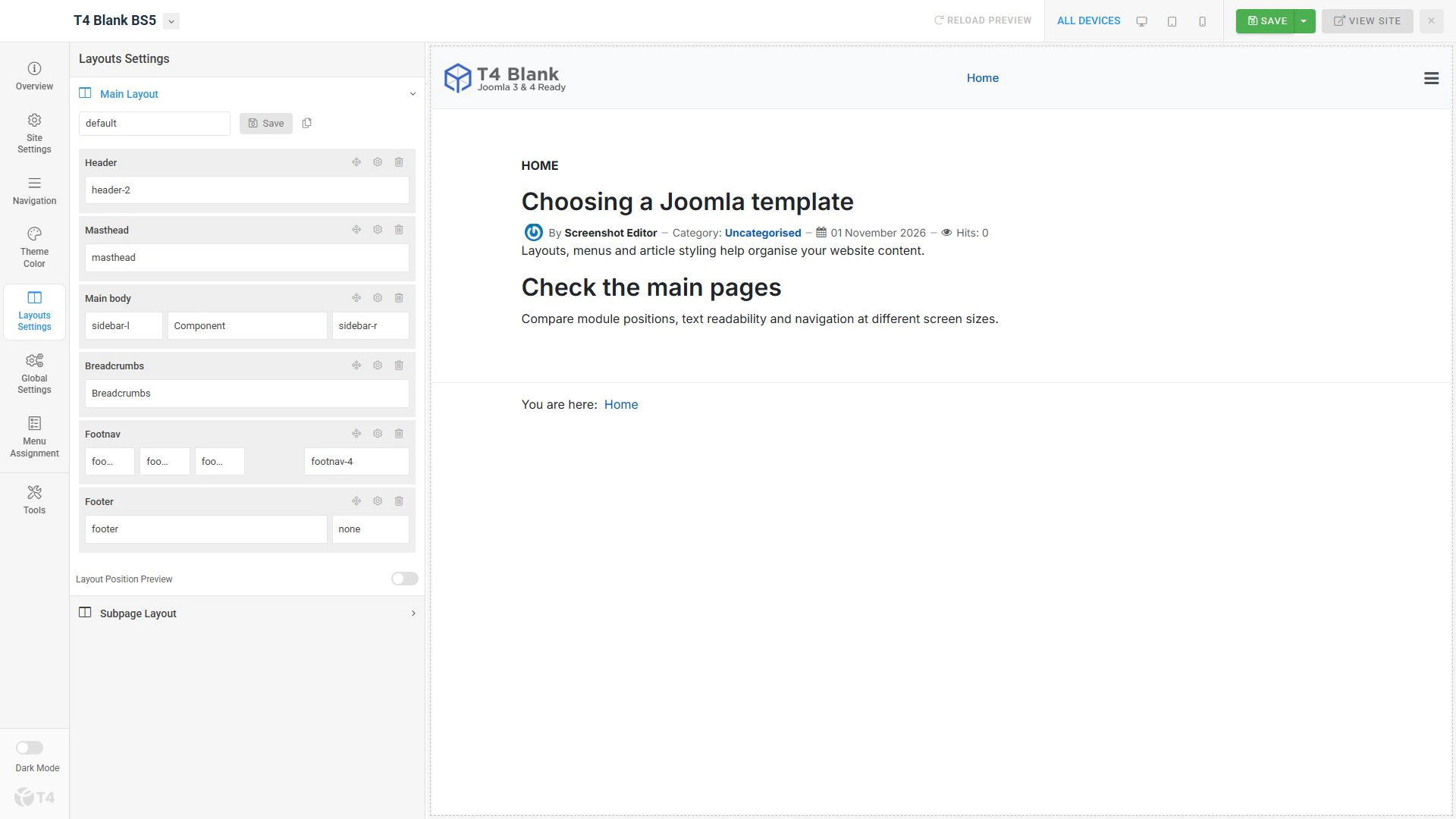
T4 is a JoomlArt framework with tools for layouts, menus and styling. The T4 Blank starter template provides a foundation for developing your own design.
The developer's catalogue includes packages for Joomla 5 and 6. At the time of checking, the T4 system plugin was listed as version 2.6.5. The plugin and template use different version numbers, so checking just one is insufficient.
Consider T4 when choosing a JoomlArt template or developing a design on this foundation. A free framework does not mean every ready-made theme or support service is also free. Downloading the free package from the developer requires an account.
Gantry 5
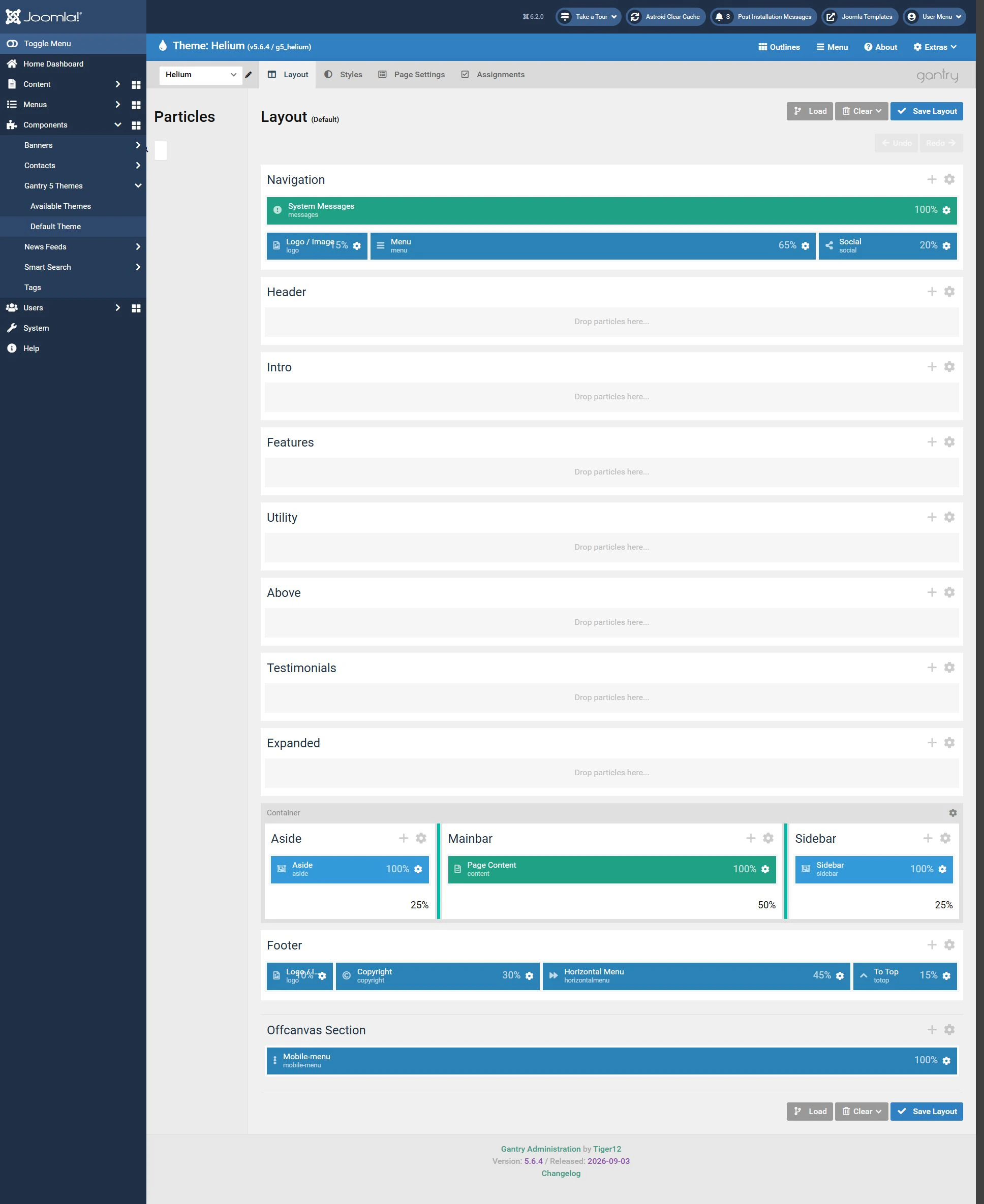
Gantry 5 builds layouts from module positions and particles. A particle is an element with its own settings, such as an image block or a content display. Separate design configurations allow different parts of the website to use different layouts.
The current Gantry 5.6 branch supports Joomla 5 and 6. At the time of checking, Gantry 5.6.4 was the latest release. The 5.6 branch no longer supports Joomla 4 or earlier versions.
Consider Gantry if this approach to layouts suits the project. Check the chosen theme and additional particles separately. An old theme should not be considered ready for a Joomla upgrade simply because Gantry itself has been updated.
YOOtheme Pro
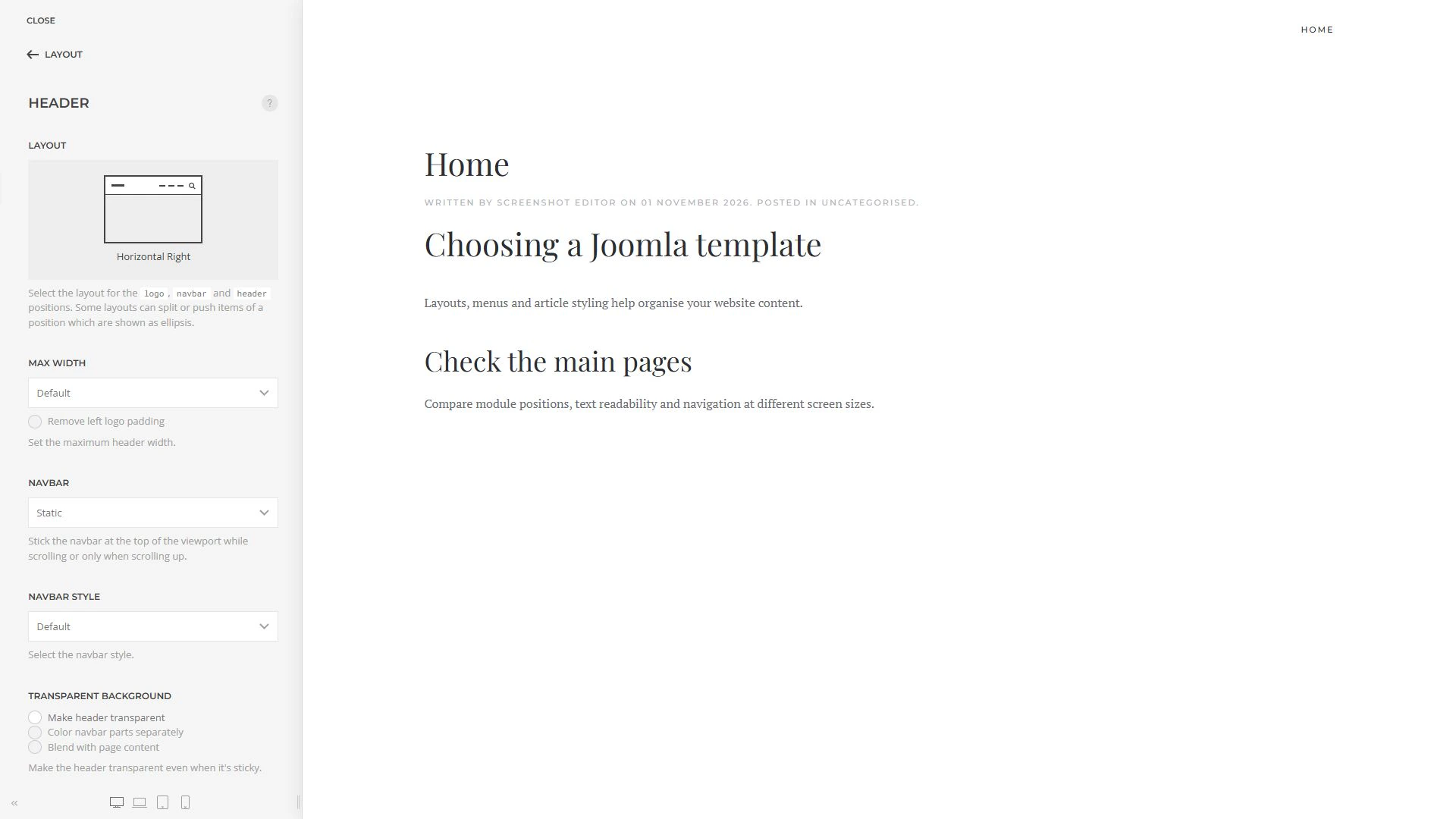
YOOtheme Pro combines a template, a style editor and a page builder. It supports layouts that use dynamic data, including Joomla article content.
The YOOtheme Pro 5 branch is intended for Joomla 5 and 6. Support for Joomla 3 and 4 has been removed. Demo website names and design packages should not be confused with separate templates, since different starting designs can run within the same YOOtheme Pro installation.
Downloads, updates and support are supplied through a subscription. Include renewal costs and the number of sites eligible for updates in your budget.
At the time of checking, the latest release was YOOtheme Pro 5.0.53, dated 21 October 2026. It fixes a vulnerability in the image handler. Use a current package containing the security fixes for installation and evaluation.
Existing websites and older frameworks
An older solution does not always need immediate replacement. First establish whether the developer supports your theme and what changes a move to a newer Joomla version would require.
T3 Framework
T3 should not be described as entirely incompatible with modern Joomla versions. JoomlArt releases updates for a number of T3 templates for Joomla 5.4 and 6.
Check the exact theme name and version. Compatibility of one updated T3 template does not automatically extend to the entire older collection.
Warp 7
YOOtheme announced the end of Warp 7 development and decided not to port its Warp themes to Joomla 4. Original YOOtheme Warp 7 themes are therefore unsuitable as a foundation for a new Joomla 5 or 6 website.
An existing site needs a migration plan covering the design, modules, content and extensions. Third-party derivatives may have their own support arrangements, which need separate assessment.
Checking Joomla and PHP compatibility
Compatibility depends on the requirements of the whole system. Consider Joomla, the template, the framework, the page builder and all other extensions.
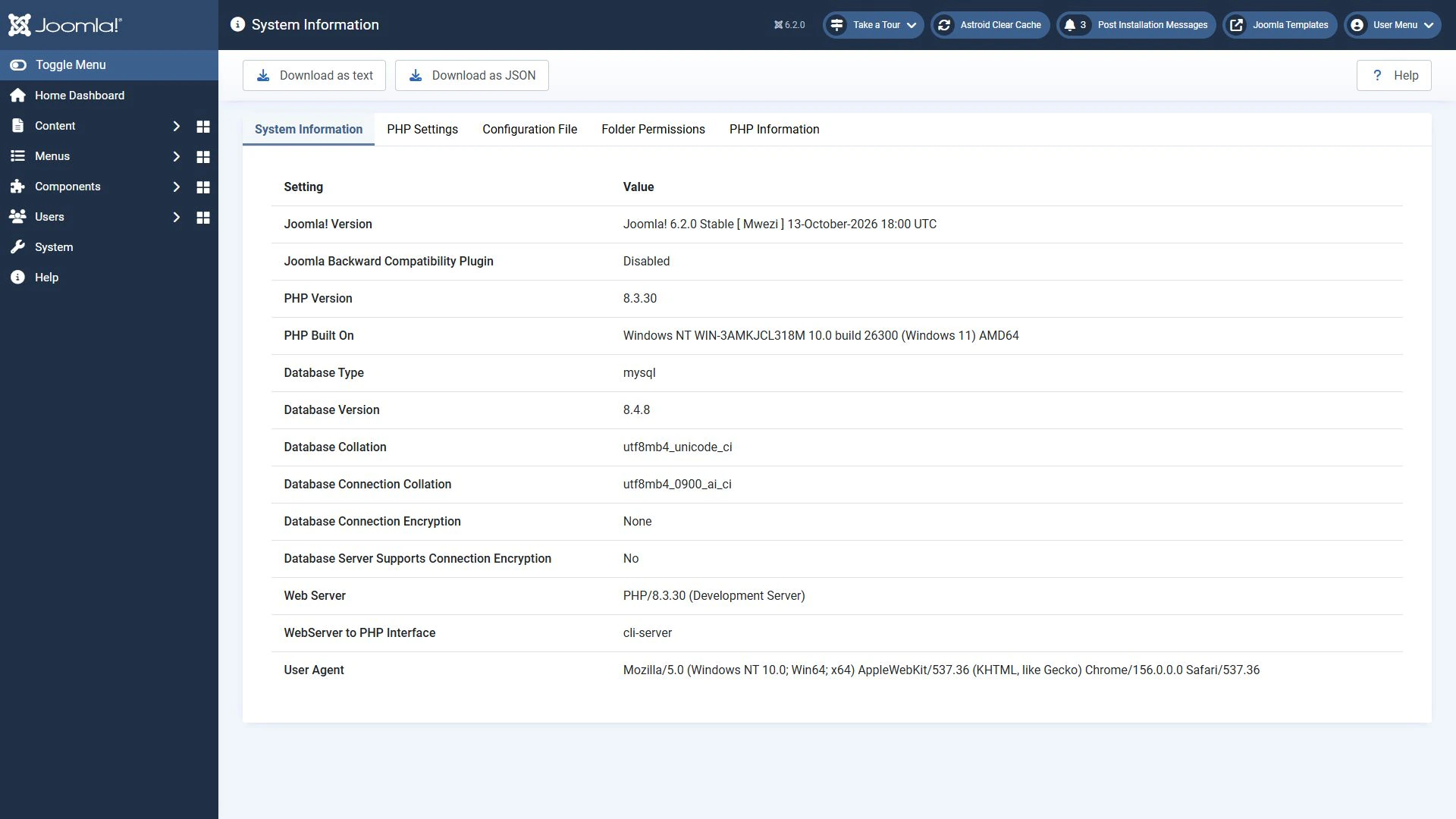
Joomla 6 requires PHP 8.3 or later. An individual extension's PHP 8.1 or 8.2 minimum does not mean Joomla 6 can run on that version.
The developer sources reviewed state the following requirements:
- Helix Ultimate 2.2.x: PHP 8.3, 8.4 and 8.5.
- Astroid: PHP 8.2 or later. With Joomla 6, the minimum rises to PHP 8.3.
- Gantry 5.6: the compatibility changelog lists PHP 8.1–8.4. For Joomla 6, this narrows to PHP 8.3–8.4.
For Helix3, T3, T4 and YOOtheme Pro, check the requirements of the chosen release alongside Joomla's requirements. A general documentation page may cover several product generations or lag behind recent releases.
Checking only the minimum PHP version is not enough. The software must also support the PHP branch actually used by your hosting provider.
Responsive design and accessibility
A responsive template rearranges elements according to screen width. An accessible interface allows people with different abilities and input methods to use the website. These qualities are related, but they are distinct.
Check finished pages with your own content:
- Does the mobile menu open without covering the main text?
- Do forms, images and tables fit narrow screens?
- Can links, menus and buttons be used with a keyboard?
- Is the currently focused element clearly visible?
- Can a dialog be closed so navigation can continue?
- Do text and controls remain usable when zoomed in?
- Is there sufficient contrast for text, links and buttons?
- Are form labels and error messages clear?
A developer's accessibility statement is a useful starting point. It does not confirm that the finished website remains accessible after changes to colours, extensions and content. Automated checks also cannot replace manual testing.
Licensing, updates and costs
A free download, an open-source licence and free support are different things.
Astroid's open-source core is distributed under GPL-3.0. T4 is supplied under the GPL. Gantry has MIT and GPL licensing terms, while its Joomla integration code retains GPL requirements. YOOtheme distributes its software under the GPL and provides downloads, updates and support through a subscription.
Before choosing, establish:
- Which packages are included.
- Whether a page builder or other extensions require a separate purchase.
- How many sites are eligible for updates.
- How long download and support access lasts.
- Who updates template overrides when Joomla changes.
- Whether updates preserve your customisations.
- Which terms apply to demo photos, fonts and other assets.
For a paid theme, assess several years of maintenance costs as well as the initial purchase price.
Comparing performance
No framework can be called the fastest without testing under identical conditions. Results depend on images, fonts, extensions, third-party scripts, caching and hosting.
Use the same pages, content and server settings for comparisons. Check the mobile experience, how quickly the main content appears, responsiveness to interactions and layout shifts.
Inspect the resources loaded by the template. Unnecessary libraries, a large video or a heavy slider can affect performance more than the choice of framework.
A demo website's score describes that particular demo. It does not guarantee the same result after installing the template and adding your own content.
Before changing the live website
Evaluate the chosen solution on a separate copy or a clean Joomla test installation. For a new installation, use the Joomla distribution.
Check the main scenarios:
- The home page, an article, a category blog and search.
- The desktop and mobile menus.
- Login, registration and contact forms.
- The language switcher on a multilingual website.
- Output from your shop, directory or other component.
- The 404 page and pages with restricted access.
- Saving template settings and applying changes.
- Updating the template and framework while preserving customisations.
A quickstart package is usually a separate Joomla installation with demo content. It should not be treated as an ordinary template package to install over a live website.
Before changing the live site, make a backup and verify that it can be restored.
Which template should you choose?
Choose according to the project's requirements and maintenance workflow.
Cassiopeia lets you start with Joomla's standard features. Helix3 provides layout, menu and styling settings and receives compatibility and security updates. Helix Ultimate, Astroid and T4 offer visual tools for the overall design. Gantry organises layouts through particles and separate configurations. YOOtheme Pro combines styling and page building in a single system.
For a new project, consider the product's future development. In Helix3's case, the developer recommends considering Helix Ultimate. For an existing site, first assess whether the current theme can be updated and what replacing the framework would cost.
The right template should support the Joomla and PHP versions you need, work with your extensions, serve your visitors well and remain straightforward to maintain. These factors matter more than the number of settings or a position in an arbitrary ranking.
Terms used:
Demo, Quickstart, Article, Module, Package, Module position, Template framework, Template, Bootstrap, CSS, PHP, Backup, Menu, Cassiopeia, Helix Ultimate, SP Page Builder, Hosting, Caching


