


Table of contents
Important information for all Joomla! site owners. Since the beginning of April 2026, increased hacker activity has been observed: someone is successfully hacking sites that have not been updated for a long time.
On April 10, a client contacted us asking to look into why their sites had stopped working. We created a site on Joomla 5 for this client two years ago, but since then neither the CMS version nor any extensions have been updated. As a result, this site was completely deleted by the attacker, including the database, and WordPress files were uploaded in place of the original files. Additionally, a second site hosted on the same server, which had been periodically updated, was not deleted by the attacker, but the original files were commented out and malicious files were uploaded.
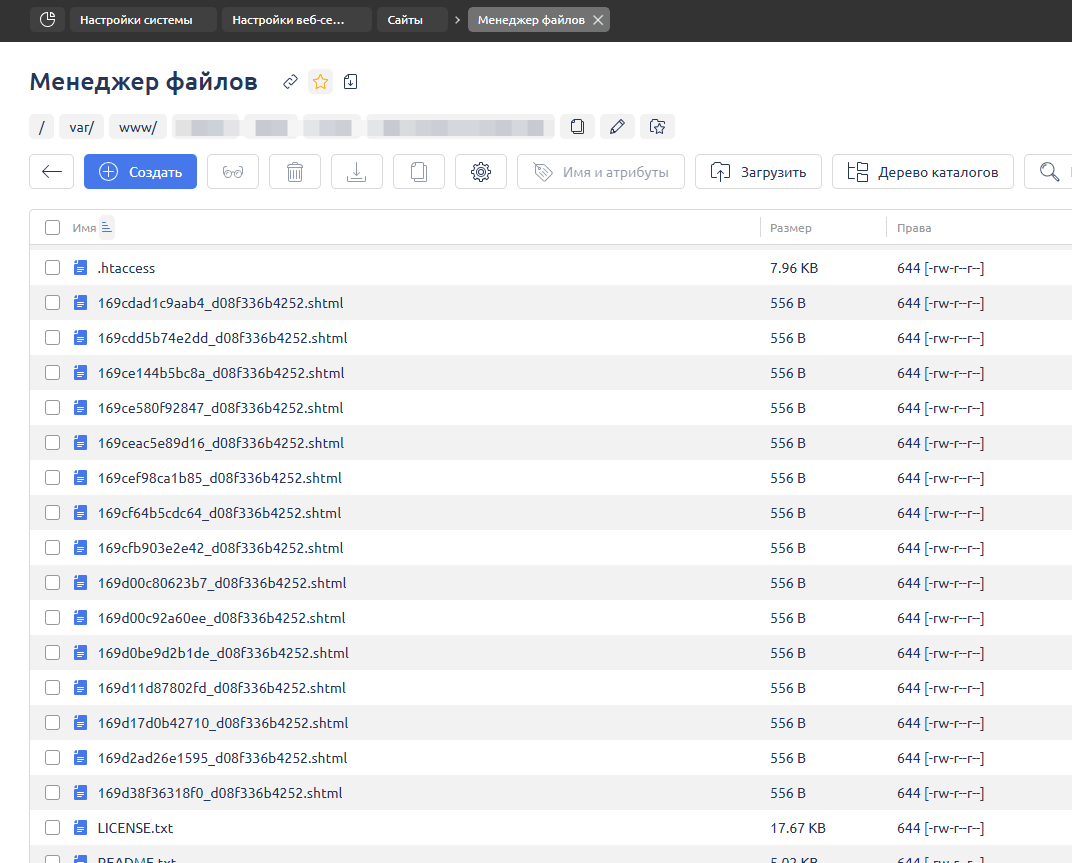
This case raised concerns, and we rechecked individual sites on our own server that had been created for testing purposes, and we also found traces of hacker activity, even on such sites. We then requested access to client sites and began rechecking them; on most, traces of hacking were also noticed in the form of numerous .shtml files.
Who is at risk?
Sites at risk are those that use outdated extensions from the developer tassos.gr. This developer fixed a security vulnerability in their Tassos Framework plugin back in January, so it is essential to urgently update at least one of the following extensions that utilize this plugin:
- Convert Forms
- EngageBox
- Google Structured Data
- Advanced Custom Fields
- Smile Pack
- MailChimp Auto-Subscribe
If your site uses a paid version of any of these extensions and you do not have an update subscription, you can download the free version of any of them and update it, which will also update the Tassos Framework.
After updating:
- Go to System - Extensions
- Find the plugin System - Tassos Framework
- Make sure its version is 6.0.62 or higher
If you are unable to update the plugin version, disable it.
If you have previously removed extensions from tassos.gr
Removing extensions does not provide for the removal of the Tassos Framework plugin, as it may be used by another related extension. Therefore, it is better to check for its presence in the list of extensions, and if it is found, follow the update procedure described above.
What else needs to be done?
If suspicious files are found, it is best to locate a backup copy from before the moment of hacking, restore it, and perform the following steps:
- Update Tassos Framework as indicated above
- Update other extensions
- Update Joomla to the latest version
- Install the Admin Tools component and generate an .htaccess file with additional security rules through it
- Ensure additional security for administrator login