


Table of contents
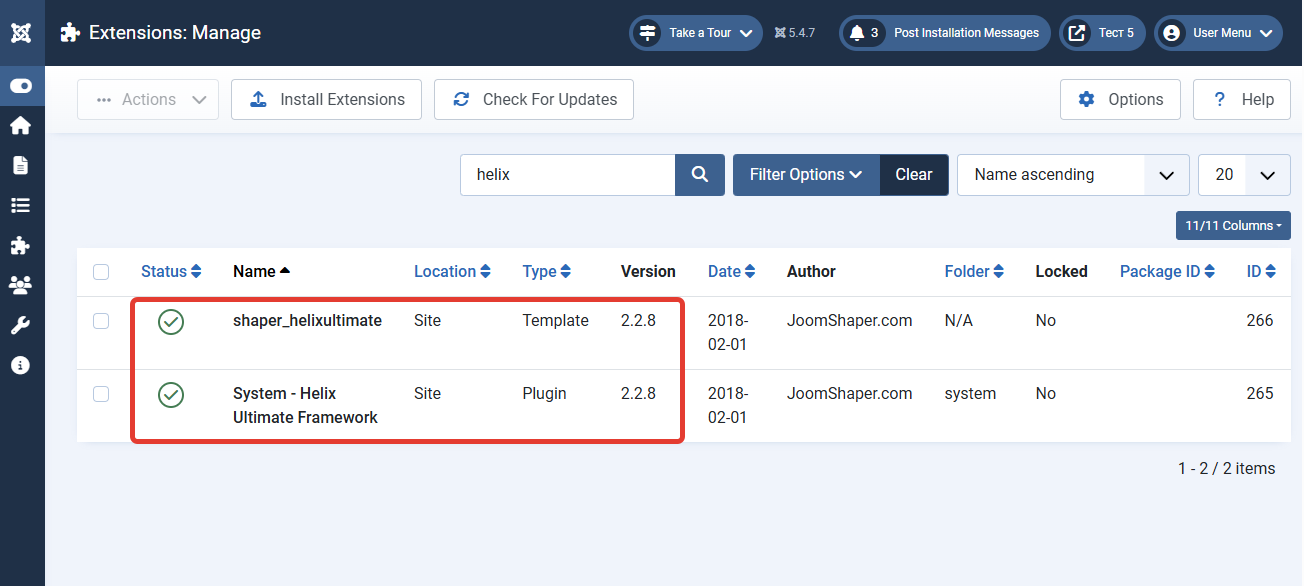
Important information for all Joomla website owners! On July 7, 2026, JoomShaper developers released an update for the popular Helix Ultimate template (version 2.2.7), which addresses a range of critical vulnerabilities. These include Open Redirect, Cross-Site Request Forgery (CSRF), Cross-Site Scripting (XSS), and unauthorized modification of site settings.
This update is mandatory for all sites using this template.
Understanding the Threat: what Was Fixed?
Analysis of the changes in version 2.2.7 shows that developers addressed several serious security issues that could have allowed attackers to compromise your site.
Key vulnerabilities fixed:
-
Open Redirect: Fixed a vulnerability that allowed redirecting site visitors to external, potentially dangerous resources, which could be used for phishing attacks.
-
Missing CSRF Tokens and Permission Validation (CWE-862): Added mandatory CSRF token validation and user permission checks for all AJAX actions in Helix Ultimate. Previously, an attacker could trick an authenticated administrator into performing unwanted actions (e.g., changing settings) without their knowledge.
-
XSS Vulnerabilities (CWE-79): Fixed multiple issues with malicious JavaScript injection through media embeds, galleries, Mega Menu, Layout Builder, and font settings.
-
File Upload Issues: Strengthened file upload validation — the media manager now only allows specific image types, and SVG and ICO file uploads are blocked.
-
Path Traversal: Fixed path validation logic in media, layout, and blog operations, preventing reading or writing files outside of allowed directories.
-
Unauthorized Export and Deletion: Added missing permission checks for blog image deletion and template settings export.
Who Is at Risk?
All sites using Helix Ultimate template versions below 2.2.7 are at risk.
How to Fix It: step-by-Step Instructions
To address these vulnerabilities, follow the steps below.
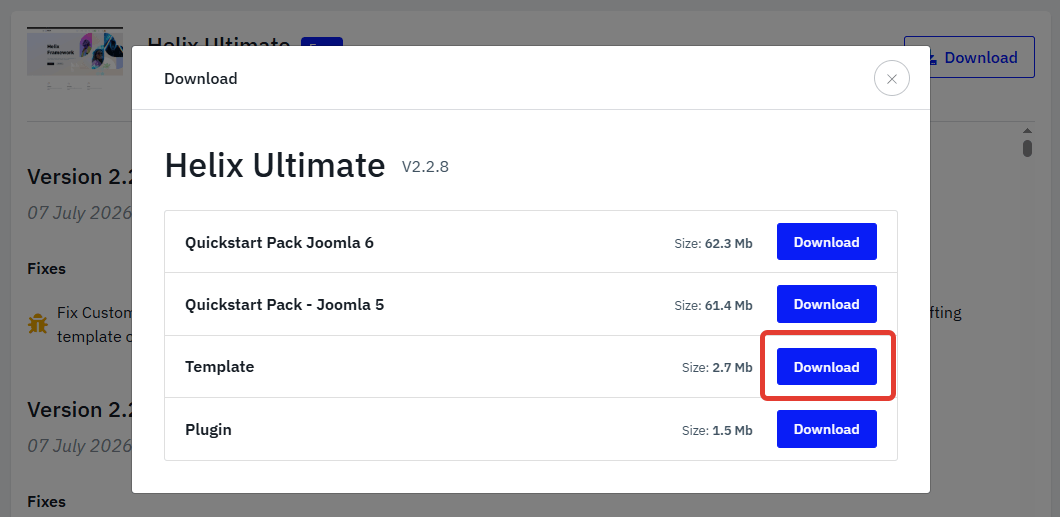
Step 1: update Helix Ultimate Immediately
-
Go to your Joomla administrator panel and navigate to Extensions → Manage → Update.
-
Click "Purge Cache" and then "Find Updates".
-
Locate the update for the Helix Ultimate template in the list.
-
Update to version 2.2.7 or higher.
Step 2: check for Signs of Compromise
Since there were multiple vulnerabilities affecting various aspects, conduct a thorough site inspection even if you have already updated.
-
Check the
/imagesfolder: Using FTP or your hosting File Manager, review theimagesandmediafolders. Delete any suspicious files, especially with extensions like.php,.phtml,.svg,.ico, that may have been uploaded before the update. -
Check template settings: Go to Template Styles → Helix Ultimate → Advanced. Verify that settings have not been changed without your knowledge, particularly in the "Custom Code" and "SEO" sections.
-
Check override files: Review the
/templates/shaper_helixultimate/htmlfolder for suspicious changes, especiallyhtml5.php, as XSS vulnerabilities have been found there in the past.
Step 3: additional Security Measures
In addition to updating the template, we strongly recommend:
-
Update the Joomla core to the latest version.
-
Install and configure Admin Tools Pro: Generate a strict
.htaccessfile, enable PHP script execution blocking in the/imagesand/mediafolders, and activate CSRF protection. -
Enable two-factor authentication for all accounts with administrator and editor privileges.
-
Regularly create backups of your site to enable quick recovery in case of an incident.
Terms used:
AJAX, Media Manager, JavaScript, PHP, SEO, XSS, Menu, Redirect, Helix Ultimate


