


Table of contents
JoomShopping lets you offer several shipping methods, set country and weight based rates, and add further pricing rules. This guide explains when the built-in features are enough for a Joomla shop and when you need an extension for your own rates or a carrier integration.
What JoomShopping includes
Start with your shop’s delivery terms. If you can calculate shipping from the destination country and order weight, you may not need an extension.
JoomShopping includes:
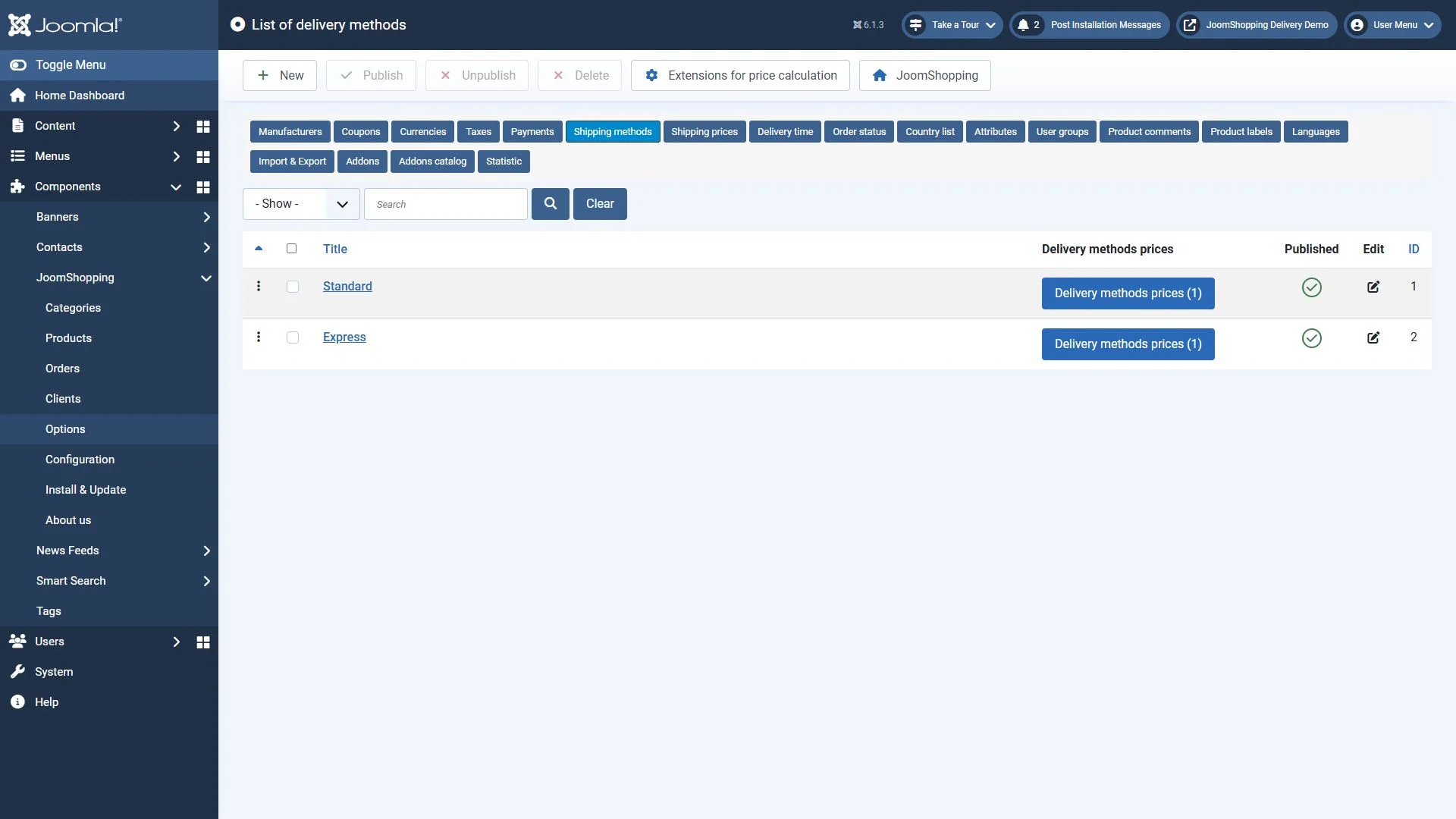
- Several shipping methods, such as standard and express delivery.
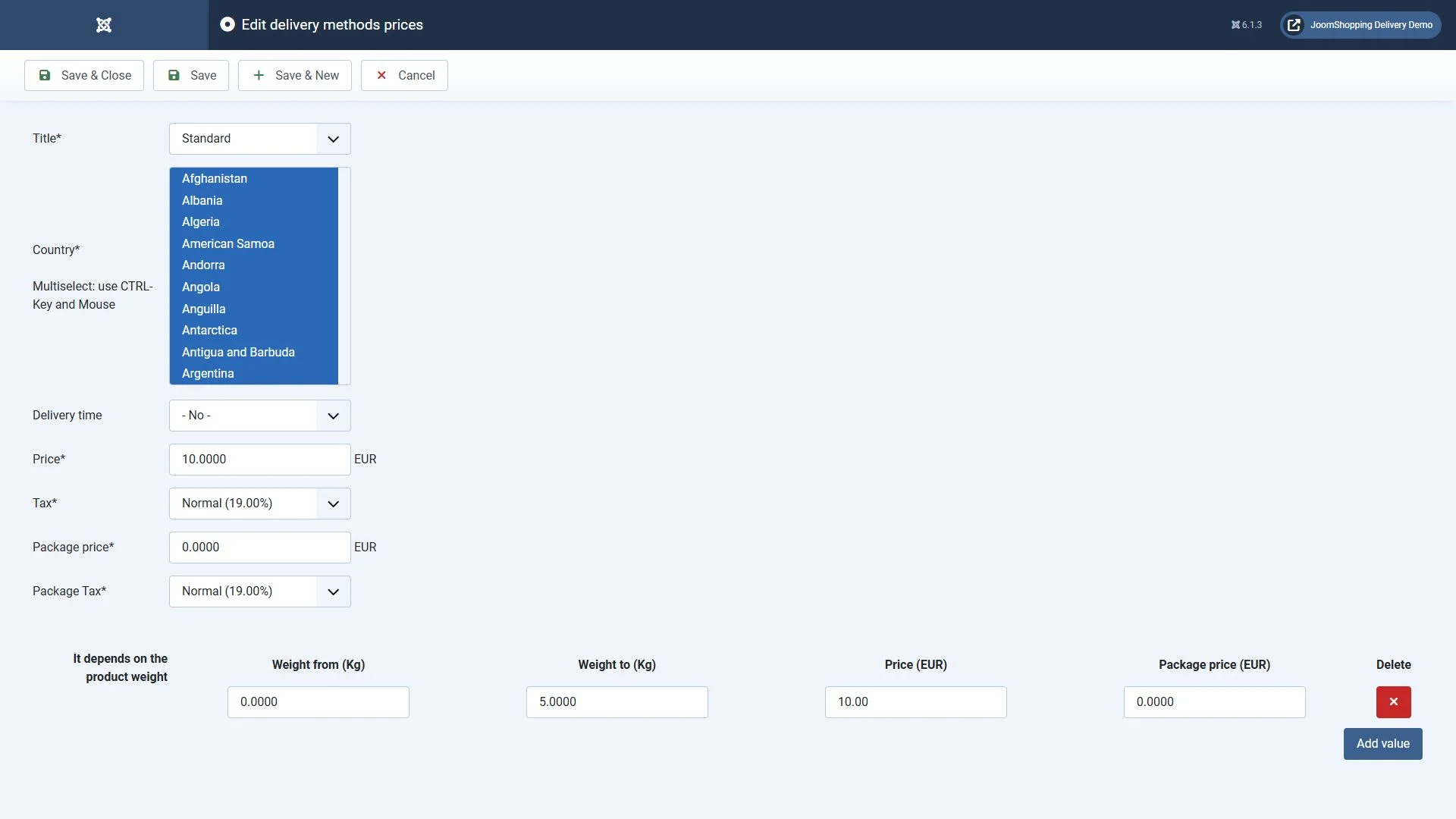
- Rates for different countries.
- Weight based shipping prices.
- Packaging costs.
- Free shipping above a specified order value.
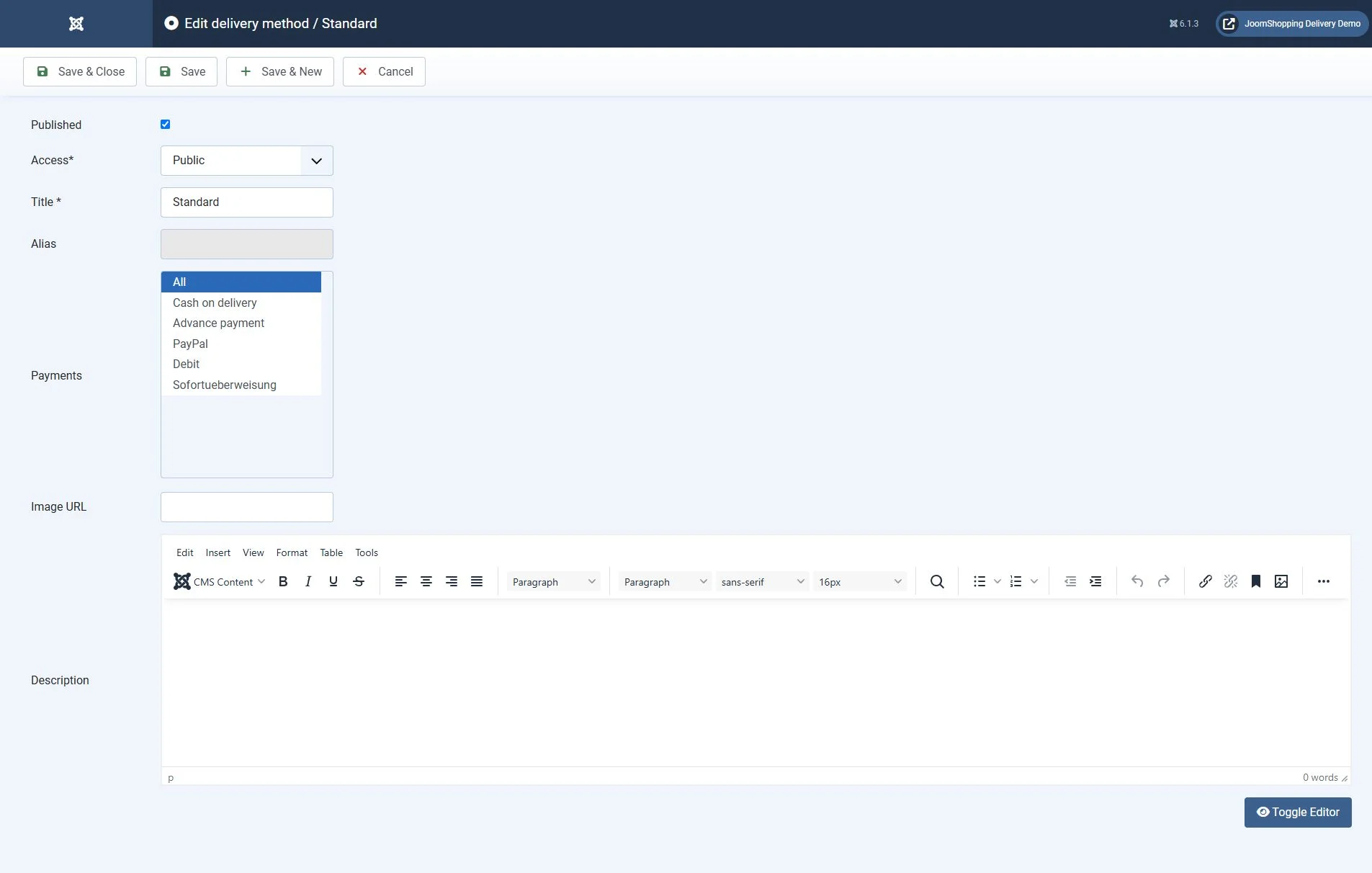
A shipping method’s name does not connect it to a carrier. Calling a method “Postal delivery” will not make the shop retrieve postal rates automatically. That requires an integration.
For collection or your own courier service, first check whether standard rates can describe your delivery terms. An extension becomes useful when the price depends on information that the built-in calculation does not cover.
Two approaches to automatic calculation
Automatic shipping calculation can use your shop’s rules or a carrier’s service. These approaches solve different problems.
Shop-defined rates
The administrator sets the conditions and shipping prices. An extension selects the appropriate rate from order details such as postcode, weight or basket value.
This suits an in-house delivery service or agreed rates from a third-party carrier. When the carrier changes its terms, you need to update your shop’s rate table yourself.
Carrier integration
An extension calls the carrier’s API to obtain calculation data. Depending on the extension, customers may also be able to select a town and collection branch.
Check each extension’s features separately. Price calculation, collection point selection, shipping label creation and tracking are separate functions. Support for one does not imply support for all of them.
Nova Poshta delivery
Nevigen offers the Nova Poshta shipping module for JoomShopping 5+. According to its developer, it retrieves data through the Nova Poshta API and supports delivery to a branch or by courier to the customer’s address.
Customers select their town and branch during checkout. The module can include the delivery cost in the order total or leave the carrier’s fee payable by the recipient.
You need your own API key from your Nova Poshta account. Installation creates two shipping methods, which must then be configured for your shop.
At the time of checking, the listing for version 1.4.0 specifies Joomla 5.4 and 6.2, JoomShopping 5.9+ and PHP 8.1 or later. Before installing, compare the requirements with your site and the available package.
Branch counts and transit times are not fixed properties of the module. Check the carrier’s available destinations and terms for each shipment.
Calculation using your shop’s rules
MAXXmarketing offers extensions for different pricing conditions. Choose one according to the information that actually determines your shipping rate.
| Extension | Calculation parameters |
|---|---|
| Calculate for weight/postal code | Basket weight and postcode |
| Calculate for price/postal code | Basket value and postcode |
| Calculate percent for price | A percentage of the basket value |
| Calculate for state/weight/price | Region, weight and basket value |
| Shipping characteristics | Product characteristics, weight and postcode |
| Shipping attributes | Product attributes |
| Shipping free attributes | Weight and free attributes |
| Calculate for weight/postal code/price/client type | Weight, postcode, basket value and client type |
| Calculate for weight/postal code/price/user group | Weight, postcode, basket value and customer group |
The developer also specifies Addon States as a requirement for Calculate for state/weight/price.
Do not confuse client type with customer group. The catalogue lists them as two separate extensions. JoomShopping customer groups should not automatically be treated as Joomla access groups either.
Characteristics, attributes and free attributes also need to be distinguished. For example, a product volume entered by an administrator and dimensions selected or entered by a customer may require different calculation mechanisms.
Before purchasing, prepare example baskets and their expected shipping prices. This helps you check whether an extension supports your rules, particularly when an order contains products with different parameters.
Delivery dates and restrictions
Extensions can manage more than prices. You may need to collect a preferred delivery date or restrict the availability of a shipping method.
Delivery date lets customers specify a delivery date. Selecting a date does not itself confirm that a carrier or courier can fulfil it. The available choices must match your shop’s schedule.
Max./min. price weight shipping filters shipping methods by order value and weight. Each method can have a minimum and maximum value, and a minimum and maximum weight.
For example, you can exclude a heavy order from a method intended for small parcels. During testing, make sure customers still have an appropriate delivery option.
Compatibility and installation
Check the combination of Joomla, JoomShopping, PHP and extension versions before installation. Compatibility of the shop component does not guarantee compatibility of every add-on.
The checked MAXXmarketing listings for the extensions above state support for Joomla 6 and JoomShopping 5.0.0+. The developer also says that updates, fixes and technical support have ended for Joomla 3 and JoomShopping 4. The presence of old versions in a compatibility table does not mean they remain supported.
Use the installation method specified by the developer. Not every JoomShopping extension uses the standard Joomla installer. Nevigen, for example, uses its own installer and a licence key.
Install on a test copy of your shop first. Configure the shipping method and test checkout with the template and checkout extension used on your site.
Checks before launch
Check the final order total as well as the appearance of the shipping method. Prepare an order with a known expected result for each condition.
- Rate boundaries. Test weight and value below, exactly at and above each threshold.
- Address. Try supported and unsupported destinations, plus an invalid or missing postcode.
- Basket contents. Test one product, several units of the same product and a mixed order.
- Product parameters. Change attributes, characteristics or entered dimensions if they affect shipping.
- Discounts. Check the result after applying a coupon and a customer discount.
- Payment and shipping. Make sure customers can complete an order with an allowed combination.
- Calculation failure. For an API integration, check what happens if the service returns an error. A failure should not silently turn paid shipping into free shipping.
- Saved order. Compare the selected method and shipping price at checkout, in the saved order and in the notification.
These are test scenarios. Expected amounts depend on your shop’s rates.
Choosing a solution
For simple rates, start with JoomShopping’s built-in features. If you need additional conditions, choose a calculation extension for the specific order parameters. If the price must come from a carrier, look for an integration with its service.
The entire checkout process matters for a Joomla shop: customers need to see an available delivery method, understand the cost and complete their order. Make your final choice after testing with your template, rates and payment settings.


