

Table of contents
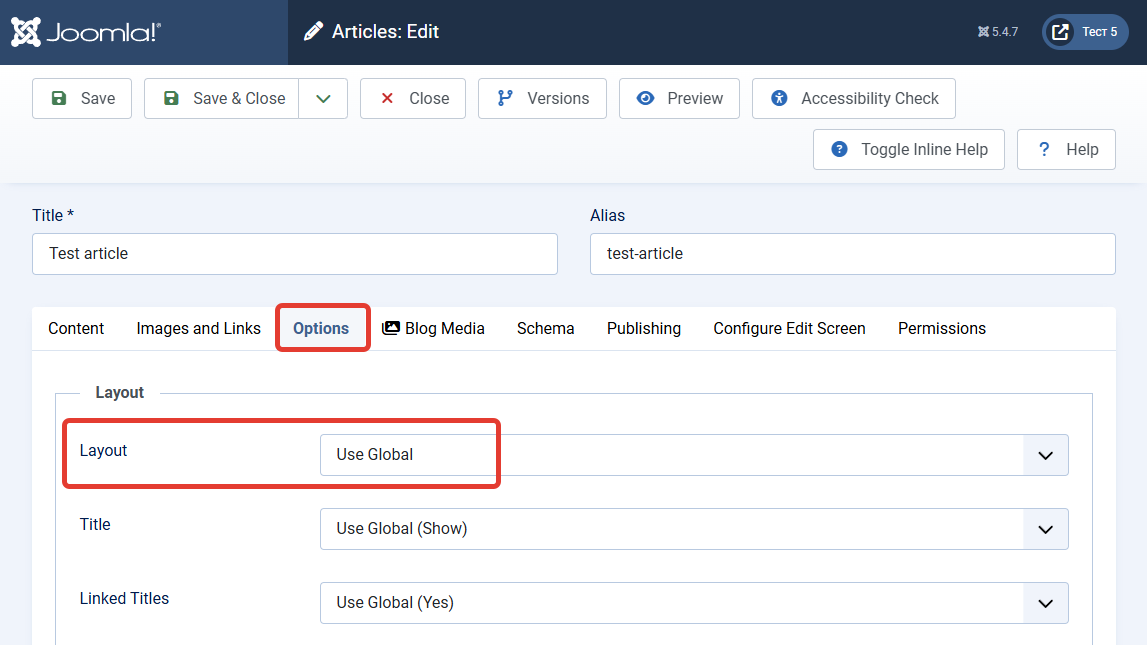
Important information for site owners with custom overrides! After the release of Joomla 5.4.7 and 6.1.2, some site owners encountered a problem — article layout overrides (article_layout) specified in article parameters stopped working.
The issue is that in these Joomla versions, the alternative layout selected for an individual article is no longer respected if there is no separate menu item for it. Instead of the custom layout, the default one is displayed.
Who Is at Risk?
Sites are at risk if they meet the following conditions:
- Joomla 5.4.7 or 6.1.2 update is installed;
- Custom article overrides (e.g.,
article_layout) are used and set in individual article parameters.
If your site actively uses custom article layouts through overrides, updating to these versions will cause these settings to stop being applied.
How to Fix the Problem
The Joomla developers are already aware of this issue, and it is expected to be fixed in the next release. In the meantime, there are two ways to address it:
Option 1: Postpone the Update
If you haven't updated your site to Joomla 5.4.7 or 6.1.2 yet, hold off on updating, especially if you actively use overrides. Wait for the next patch, where this regression is expected to be fixed.
Option 2: Temporary Fix (for already updated sites)
If you have already updated and the overrides broke, there is a temporary solution. It involves manually editing the /components/com_content/src/Model/ArticleModel.php file.
- Open the file
/components/com_content/src/Model/ArticleModel.php. - Find this line (added in commit #47752):
$data->metadata = new Registry($data->metadata); - Before this line, insert the following code block:
// TEMPORARY FIX for regression from #47752: article_layout is no longer
// forwarded to $data->params. Remove once fixed upstream.
if ($registry->get('article_layout')) {
    $data->params->set('article_layout', $registry->get('article_layout'));
}
After this change, the overrides should work as they did before.
Recommendation
If you have any doubts or are not confident in making code changes yourself, postpone the update until the next Joomla patch is released. Security is important, but your site's functionality is equally critical.


