

Table of contents
Important information for all Joomla! website owners: On June 29, 2026, JoomShaper released an update for the Helix 3 framework (version 3.1.1) that patches several critical vulnerabilities. These issues allow an attacker to delete files on your server without authorization, overwrite template settings, and inject malicious code.
We strongly recommend updating all websites using the Helix 3 framework immediately. Delaying this update could lead to a complete compromise of your resource.
The Nature of the Threat: What Exactly Was Fixed?
The vulnerability resides in the plg_ajax_helix3 plugin, which handles requests through Joomla's built-in dispatcher (com_ajax). Prior to version 3.1.0, this handler performed several critical actions without checking access rights and without a CSRF token.
Here's what attackers could do:
-
Unauthorized file writing (
save): An attacker could write arbitrary content to.jsonfiles within the active template directory. Due to insufficient path validation (Path Traversal), the file could be placed outside the template folder. -
File deletion (
remove): An attacker could delete any file on the server that the web server has access to. This could take the site offline or delete security files (e.g.,.htaccess). -
Template parameter overwrite (
import): An attacker could change the settings of any template style in the database, leading to site malfunctions or the injection of malicious scripts.
Additionally, version 3.1.1 also fixes:
-
Arbitrary file upload: Previously, an authenticated user (with permissions to create articles) could upload a
.phpfile through the image upload interface. -
Cross-Site Scripting (XSS): In several places, output data was not properly sanitized.
-
API key leak: A valid Google Fonts API key was hardcoded in the code.
Who Is at Risk?
All sites running Helix 3 framework below version 3.1.1 are at risk.
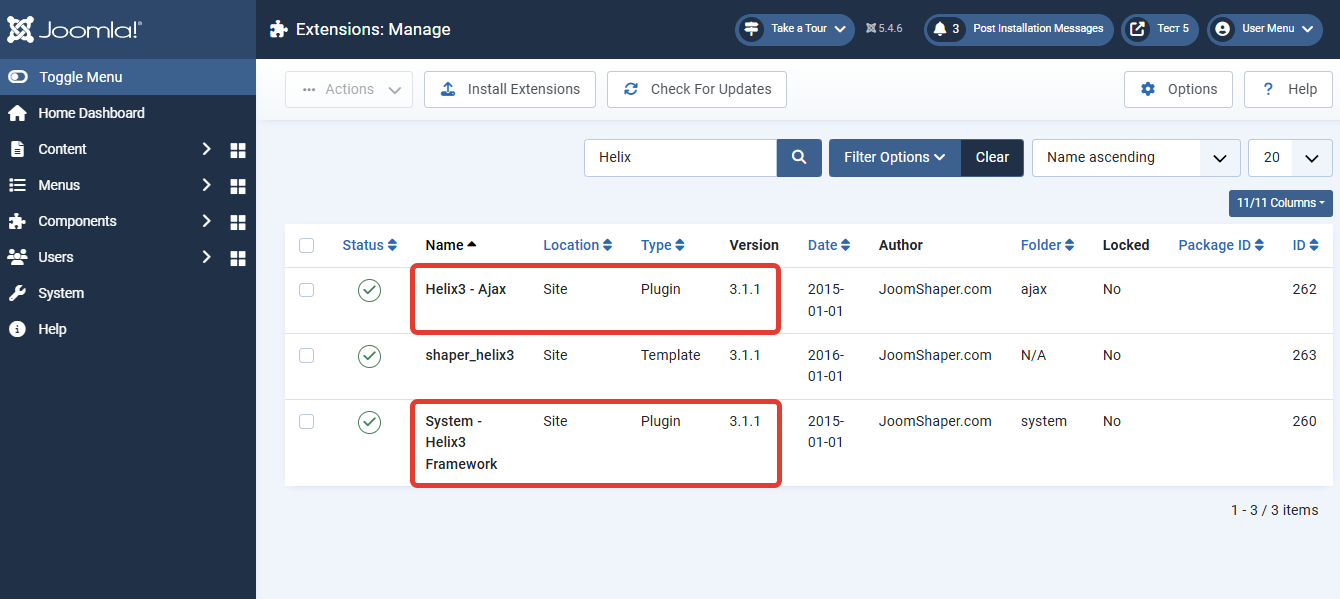
Important clarification: This concerns the Helix 3 framework (installed as the System - Helix3 Framework plugin and plg_ajax_helix3). It is often confused with the newer product — Helix Ultimate.
-
Helix Ultimate is a separate, modern template, and this vulnerability does not affect it.
-
However, if you are using any template built on the older Helix 3 framework (including popular older JoomShaper templates), you are at risk and must update immediately.
Don't know which framework your site uses? If you're unsure, update anyway through the standard Joomla update manager, or check your list of installed plugins for
System - Helix3 Framework.
How to Fix It: Step-by-Step Instructions
To fix the vulnerability, follow these steps.
Step 1: Update Helix 3 Immediately
-
In your Joomla admin panel, go to Extensions → Manage → Updates.
-
Click "Purge Cache" and "Find Updates".
-
Find the update for Helix3 Framework in the list.
-
Install version 3.1.1 or higher.
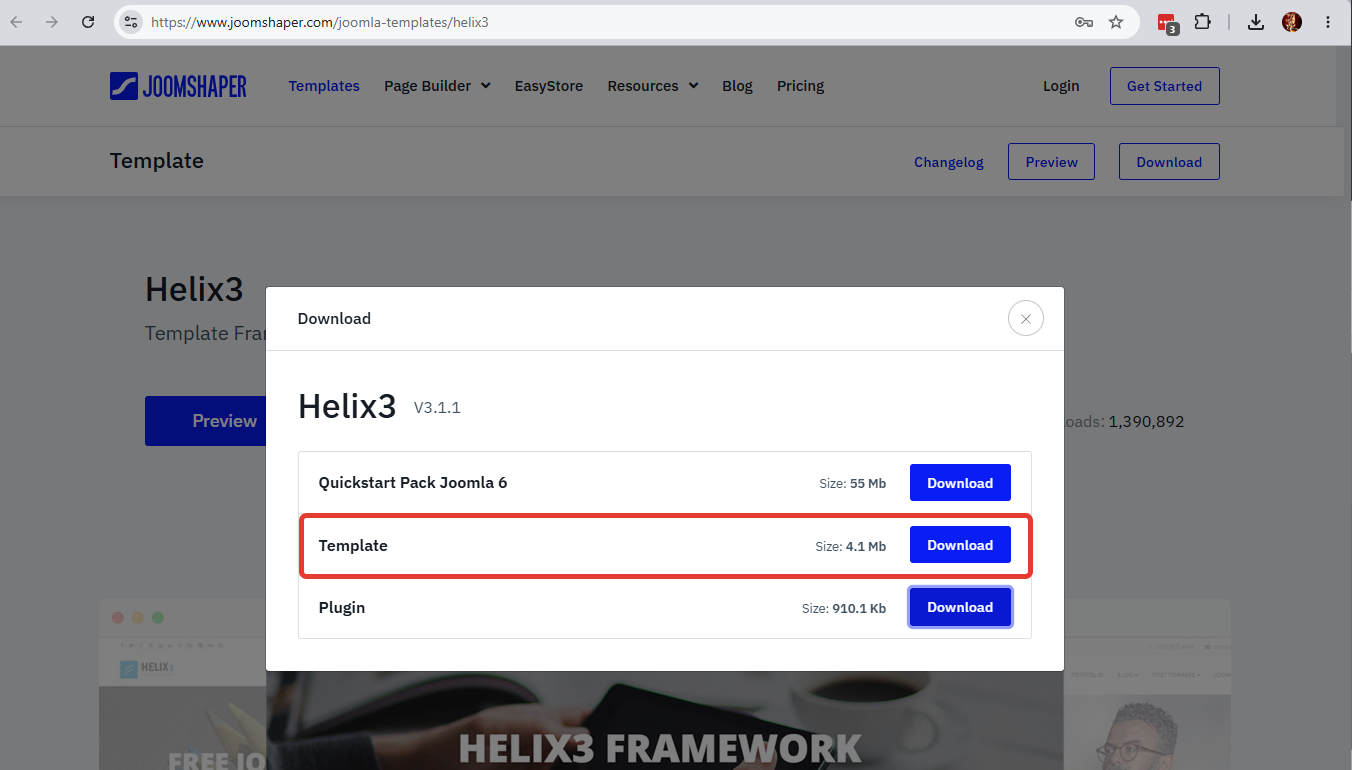
If the update does not appear:
Download the latest version of the Helix-3 template, which contains theHelix3 - AjaxandSystem - Helix3 Frameworkplugins manually from the official developer website JoomShaper and install it via Extensions → Manage → Install. If you are using a different template, the newly installed Helix-3 template can be deleted immediately, but the plugin updates will remain.
Step 2: Check for Signs of a Breach
Since the vulnerability allowed file deletion and modification, you should check your site for signs of tampering, even if you've already updated.
-
Check template files: Via FTP or your hosting File Manager, go to the
/templates/your_template/folder. Look for suspicious.jsonfiles that were created or modified recently (especially in the period before the update). -
Check the site root folder: Look for files with unusual extensions (e.g.,
.phpor.shtml) that you did not create. -
Check for security files: Ensure that protection files (e.g.,
index.htmlor.htaccess) are present in the template and image folders. Attackers may have deleted them to facilitate further attacks.
Step 3: Review User Permissions
Ensure that users with "Author" or "Editor" permissions do not have the ability to upload executable files. If you suspect a breach, change passwords for all users with access to the admin panel.
What Else Should You Do?
In addition to updating the framework itself, we strongly recommend:
-
Update other extensions and the Joomla core to the latest versions.
-
Install the Admin Tools Pro component and generate a strict
.htaccessfile with additional security rules (e.g., prevent PHP scripts from running in the/imagesfolder). -
Enable Two-Factor Authentication for admin panel login.