

Table of contents
Important information for all Joomla website owners! On July 8, 2026, a critical vulnerability was discovered in the popular Balbooa Forms (com_baforms) form builder component. The vulnerability allows an unauthenticated attacker to upload and execute PHP files on the server, leading to full site compromise.
The vulnerability has been assigned CVE-2026-56291 with a CVSS v4.0 score of 10.0, which corresponds to a maximum threat level. Attackers are already actively scanning the internet for vulnerable sites.
Balbooa developers released a fix in version 2.4.1 on July 9, 2026. This update is critically urgent — delaying the patch will lead to full compromise of your site.
Understanding the threat: what was fixed?
The vulnerability is an unrestricted upload of a dangerous file type (CWE-434) in the Balbooa Forms component. Unlike many other security flaws, this attack does not require authentication. This means the attacker doesn't need to know your administrator password.
How the hack works:
-
Lack of checks: In versions up to 2.4.0, the file upload handler (
form.uploadAttachmentFile) did not check user authentication, did not require a CSRF token, and did not restrict the type of uploaded files. -
Shell upload: The attacker sends an HTTP request to the vulnerable handler, uploading a file with a
.phpextension. The system takes the extension from the filename provided by the attacker and saves the file as-is. -
Code execution: The file is saved to the
/images/baforms/uploads/form-<id>/folder, which is publicly accessible. By requesting this file in a browser, the attacker executes their PHP code on your server. -
Outcome: The hacker gains full access to the file system, can read
configuration.phpwith database credentials, create a hidden super administrator account, plant a backdoor, or use the server for malicious purposes.
Who is at risk?
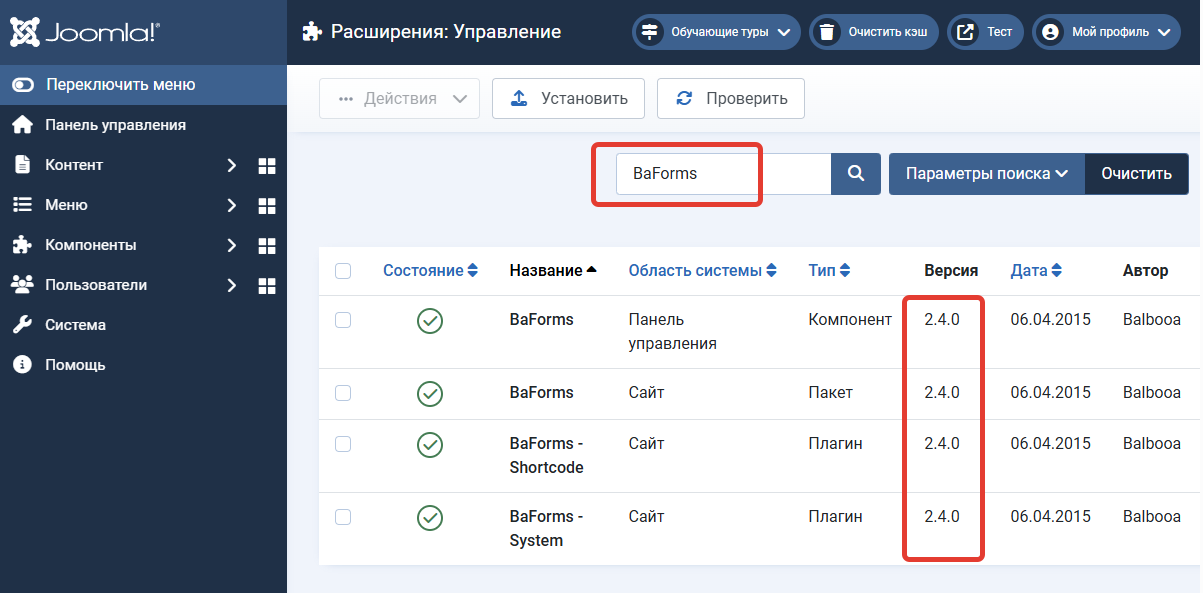
All sites running the Balbooa Forms component versions below 2.4.1 are at risk, including all versions from 1.0 through 2.4.0.
How to fix It: step-by-step instructions
To address this vulnerability, follow the steps below.
Step 1: update Balbooa forms immediately
-
Go to your Joomla administrator panel and navigate to Extensions → Manage → Update.
-
Click "Purge Cache" and then "Find Updates".
-
Locate the update for Balbooa Forms (com_baforms) in the list.
-
Update to version 2.4.1 or higher.
Step 2: check for signs of compromise
Since the vulnerability was already being actively exploited before the patch was released, updating does not guarantee that your site was not previously compromised. A thorough inspection is necessary.
-
Check the upload folder: Using FTP or your hosting File Manager, review the
/images/baforms/uploads/folder. Delete any suspicious files, especially with extensions like.php,.phtml. -
Check user accounts: In the Users → Manage section, sort the list by registration date. Find and delete any suspicious administrator accounts that you did not create.
-
Check recently modified files: Pay attention to files modified in the last few days, especially in the site root folder and the
/administratorfolder.
Step 3: additional security measures
In addition to updating the component, we strongly recommend:
-
Update the Joomla core to the latest version.
-
Install and configure Admin Tools Pro: Generate a strict
.htaccessfile, enable PHP script execution blocking in the/imagesand/mediafolders, and activate CSRF protection. -
Enable two-factor authentication for all accounts with administrator and editor privileges.
-
Change all passwords: database password, FTP/SSH, and hosting control panel.