


Table of contents
A slow Joomla website cannot be explained by the name of its CMS alone. The server, template, extensions, images and visitor's device all affect performance. This guide examines common myths and a testing process that helps identify delays and assess the results of changes.
Myth 1. Joomla is inherently slow
The name of a CMS does not predict the speed of a particular website. Joomla executes server-side code, queries the database and builds the page with its template and extensions. The browser then receives HTML, downloads images, styles and scripts, processes them and displays the result.
A delay can occur at any stage. A slow database query needs a different solution from an oversized cover image or a script that delays a button response. A fast server response does not necessarily mean that the page is ready to use.
Comparisons between CMS platforms are meaningful when their content, features, servers and test conditions are comparable. Results from an old Joomla version, someone else's shop or an empty demo page do not describe your website.
Myth 2. Hosting is always to blame
Hosting can limit performance, but a slow response does not by itself prove that the provider is at fault. Time to First Byte, or TTFB, includes more than PHP execution. It also includes network stages and may include redirects and waiting for server resources.
When responses are slow, check CPU load, available memory, hosting plan limits, the PHP request queue, database activity and extension requests to external services. Server logs and profiling help distinguish resource shortages from slow code.
The PHP version must be supported by the installed Joomla version and its extensions. Test upgrades on a separate copy first. OPcache stores compiled PHP code and reduces repeated interpreter work. It does not replace page caching, fix expensive queries or reduce image sizes.
A more expensive hosting plan makes sense when measurements show a resource shortage. If JavaScript processing on a visitor's phone causes the delay, moving to another server may not resolve it.
Myth 3. Enable every cache
Caching reuses previously prepared data. Joomla has several caching mechanisms, and each must be chosen with the page's content in mind.
Conservative caching can cache supported component views and module output. Individual module settings are taken into account. Progressive caching handles module output for guests differently, so disabling caching in one module should not be treated as protection in every caching mode.
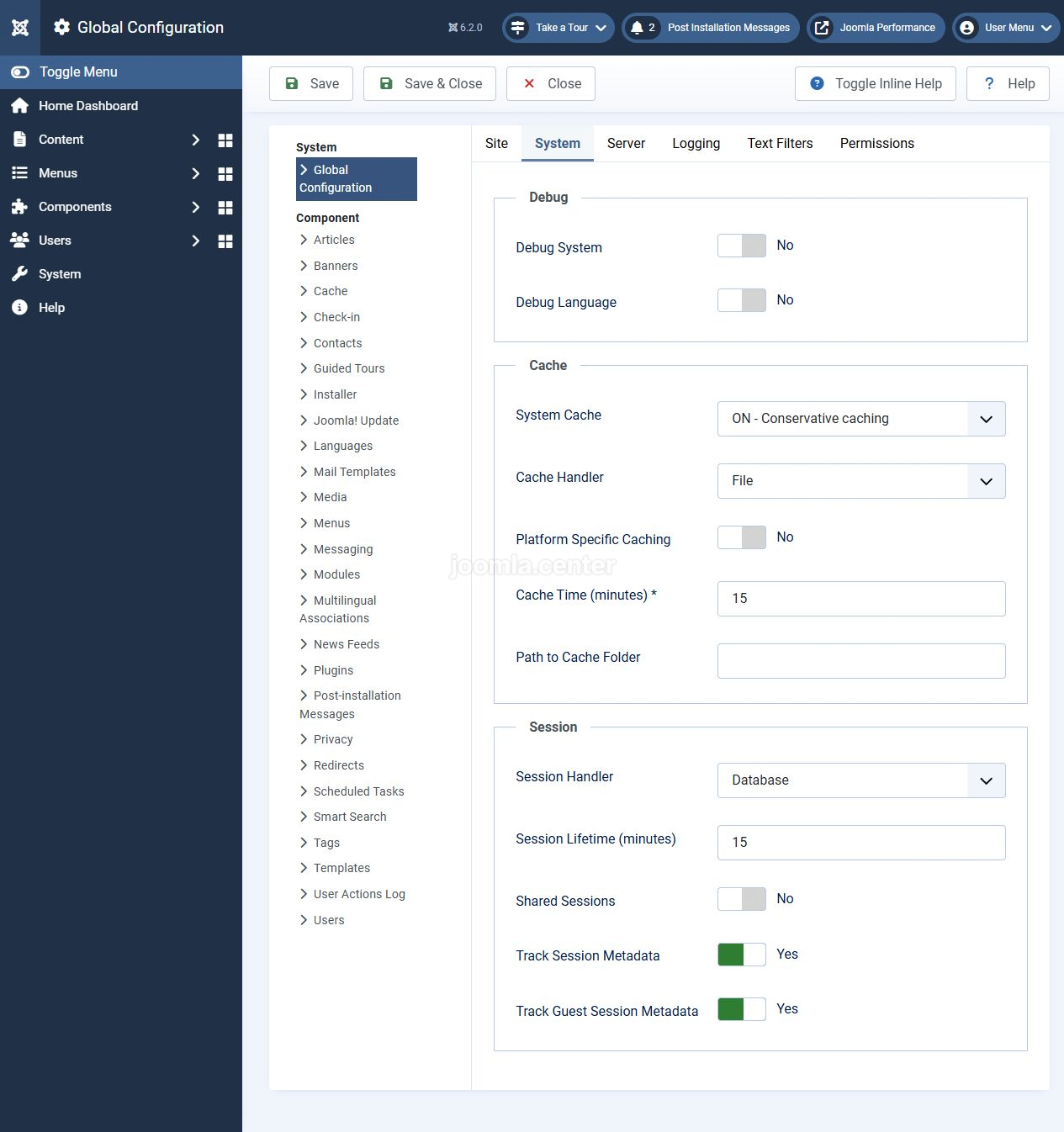
The separate System - Page Cache plugin stores complete HTML for eligible guest requests. This differs from the cache setting in Global Configuration. The plugin provides exclusions for menu items and URLs.
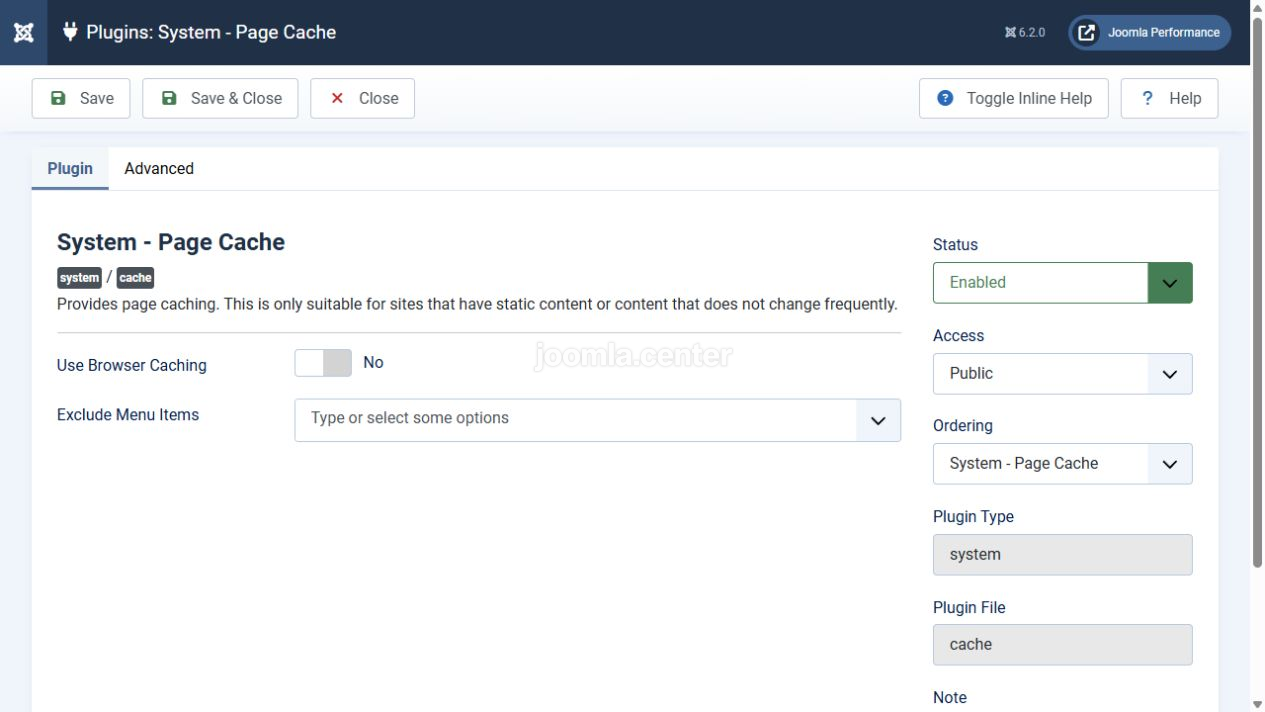
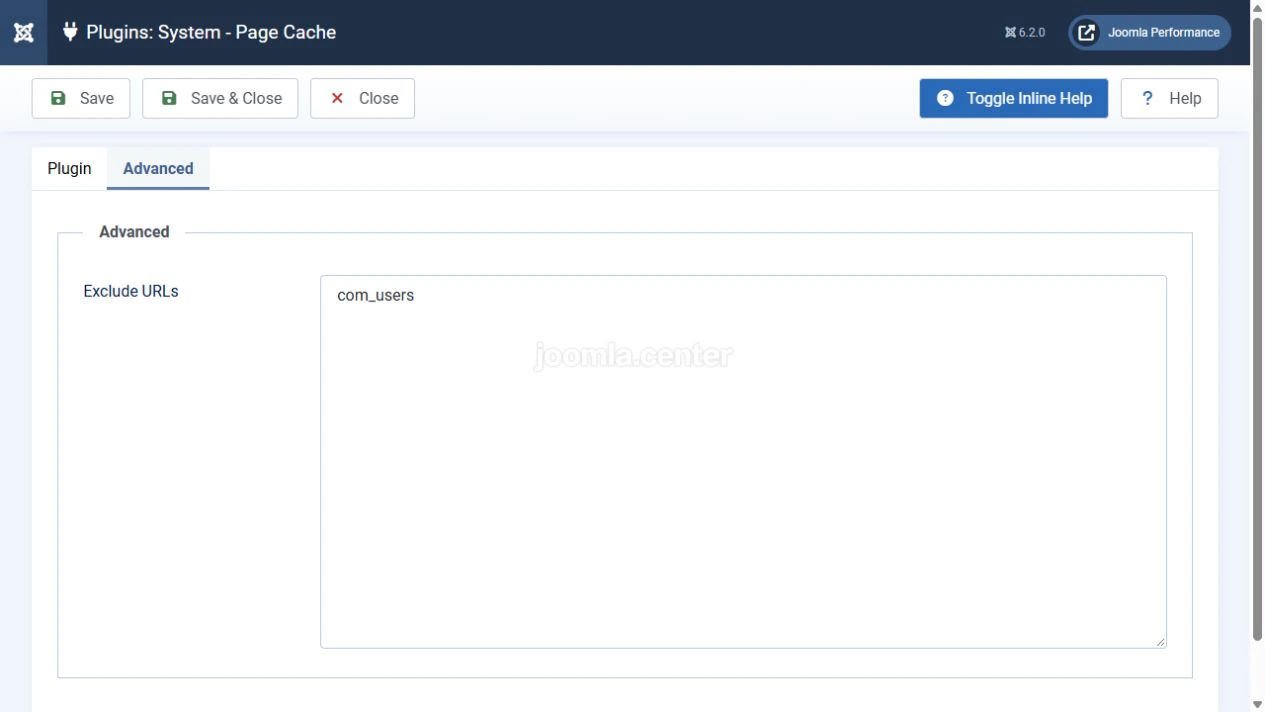
Shopping carts, account pages, forms and content that depends on sessions or cookies must not be served from a shared cache without testing. Guests can receive personalised content too. After changing settings, test login, form submissions, purchases and content updates. If information is stale, identify the cache layer holding it and clear that layer.
Myth 4. Combine all CSS and JavaScript
Each file creates a request, but a new request does not necessarily require a new connection. HTTP/2 can transfer multiple resources over one connection. The rule of one stylesheet and one script file for the entire site is therefore not universal.
A large shared file may make visitors download code that the current page does not use. When part of that file changes, the browser needs to retrieve its new version. Decide whether to combine files by testing the particular website.
Distinguish minification, transfer compression and removing unused code. Minification removes unnecessary characters. Gzip or Brotli reduce the amount of text data transferred. Removing unnecessary libraries also reduces the browser's workload.
Asynchronous or deferred script loading requires dependency checks too. Do not change the loading order of every file indiscriminately. After making adjustments, test menus, search, forms, galleries and other interactive elements.
Myth 5. Just remove a few extensions
The number of installed extensions says little about their workload. What matters is which extensions run when a page opens, which queries they make and which files they load. One expensive widget may have a greater impact than several small modules.
Start with what the site actually uses: its template, page builder, sliders, catalogue filters, analytics, chats, maps and videos. An external service can delay loading or execute expensive code independently of Joomla.
Test suspected elements one at a time on a copy of the site. Compare the same pages before and after each change and check that they still work. Do not disable system plugins or dependencies of other extensions simply to reduce the count.
Myth 6. A CDN and WebP will solve it
A CDN can bring resources closer to visitors and reduce origin server load when requests hit its cache. An uncacheable request may still need to reach the origin server. A CDN also does not eliminate JavaScript processing in the browser.
Image format is only one factor. Dimensions, quality and loading time matter too. Displaying a large original in a small box does not reduce the downloaded file just because CSS makes it look smaller. Prepare suitable variants and check which resource the browser receives on different screens.
WebP or AVIF can reduce image size while maintaining acceptable quality. Assess the result for each file. Do not apply lazy loading to an image that forms the main content of the first viewport and becomes the LCP element. Images below the first viewport can often load later.
Set image dimensions or reserve space for them so that an image appearing does not shift text and buttons.
Myth 7. One test shows the site's speed
A single PageSpeed Insights or Lighthouse run helps find problems, but does not describe every visitor's experience. Results depend on the page, device, network, workload and cache state.
In PageSpeed Insights, distinguish the lab test from real-user data. CrUX field data covers a rolling period of roughly 28 days. If there is insufficient data for the URL, the report may show origin-wide metrics or no field data. That alone does not demonstrate good or poor performance.
Core Web Vitals assess different aspects of a page:
- LCP measures when the largest visible content element appears. The good threshold is 2.5 seconds or less.
- INP measures interaction latency. The good threshold is 200 milliseconds or less.
- CLS measures unexpected layout shifts. The good threshold is 0.1 or less.
These thresholds apply to the 75th percentile of field data, assessed separately for mobile and desktop devices. A standard Lighthouse page-load run does not measure INP. TBT helps diagnose blocking, but is not a direct replacement for INP.
The overall performance score does not measure Joomla's speed separately from the rest of the website. Assess specific delays and usability, rather than only the colour of the score.
How to check your changes
Define consistent comparison conditions in advance so that you can connect a result to a particular change.
- Select representative pages: the home page, an article, a category, a product page or a form. Record the versions of Joomla, PHP, the template and significant extensions.
- Test mobile and desktop scenarios. Account separately for guests and logged-in users, first visits and repeat views.
- Save the baseline reports. Repeat the lab test several times under the same conditions and compare typical results rather than the best run.
- Identify the stage causing the delay: server response, resource loading, rendering the main content or processing interactions.
- Make one change on a test copy and repeat the check. Test forms, navigation, personalisation and content freshness as well as timings.
- After moving the tested change to the live site, monitor real-user experience. Field metrics do not update immediately.
A local site is useful for checking settings and functionality. Its speed does not prove that the live site will perform the same way on a different server and network.
Conclusion
Joomla optimisation starts with identifying the cause of a delay. Caching, server environment upgrades, extension changes and image preparation solve different problems. Choose changes based on measurements, test them one at a time and keep the site working correctly. There is no universal setting or guaranteed percentage improvement.


